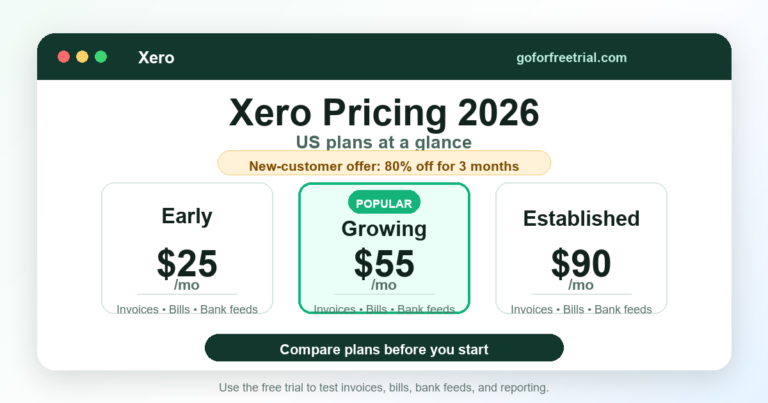
Quick note: Before you subscribe, compare the current FreshBooks discount with Xero, Xendoo, and Zoho Books so you understand both the promo price and the renewal cost.
Compare FreshBooks And Alternatives
If you searched for a FreshBook promo code, you probably want one clear answer.
Is there a real FreshBooks discount available right now?
And is FreshBooks still worth it after the discount ends?
Good questions.
Because a cheap first month is nice.
But a tool that still makes sense after the promo ends?
That is better.
Here is the practical answer.
FreshBooks is currently showing a limited-time offer of 90% off for 6 months on selected plans.
In most cases, you do not need to enter a manual coupon code.
The discount is applied automatically when you use the official pricing page or a partner offer link.
Which is lovely.
Because typing coupon codes manually feels like a tiny internet obstacle course.
Still, before you pay, check the final checkout page.
Pricing changes.
Promos change.
Plan limits matter.
Add-ons matter.
Country-specific terms matter.
The checkout page is where the truth lives.
FreshBooks can be a strong choice for freelancers, consultants, agencies, contractors, creatives, and service businesses that need easy invoicing, expense tracking, time tracking, reports, and client billing.
But it is not perfect for everyone.
If you need stronger accounting, deeper bank reconciliation, inventory, unlimited team access, or bookkeeping support, you should also compare Xero, Xendoo, and Zoho Books.
That is the smart move.
Not the most exciting move.
But very smart.
Quick FreshBooks Promo Code Summary
| Question | Practical answer |
|---|---|
| Is there a FreshBooks promo code? | FreshBooks often applies discounts automatically instead of requiring a manual code. |
| Current public offer | FreshBooks is showing 90% off for 6 months on selected plans. |
| Free trial | FreshBooks also offers a 30-day free trial. |
| Best plan for most users | FreshBooks Plus is usually the best starting point for small service businesses. |
| Best for | Freelancers, consultants, agencies, contractors, creatives, and service-based businesses. |
| Not ideal for | Large inventory businesses, complex accounting teams, or businesses needing advanced multi-entity accounting. |
| Best alternatives | Xero, Xendoo, and Zoho Books. |
| Important warning | Always confirm the promo price, renewal price, add-ons, and discount terms before checkout. |
FreshBooks Promo Code: Is There a Working Discount in 2026?
FreshBooks does not always work like an old-school coupon website.
Sometimes there is no box where you manually type a code.
Instead, FreshBooks may show an automatic offer on its pricing page.
Right now, that offer is 90% off for 6 months on selected plans.
That means the “FreshBooks promo code” is often really a tracked offer link.
Not a code you copy from a random coupon site.
This matters because many coupon websites list old, fake, expired, or country-limited codes.
Some of those codes do nothing.
Some show outdated offers.
Some only work in certain regions.
Very helpful.
By which I mean, not helpful at all.
The safest way to check the real FreshBooks discount is to use the current FreshBooks pricing page or a trusted offer link, then confirm the discount at checkout.
Next step: Compare current accounting software offers, free trials, and pricing before choosing a plan.
FreshBooks 90% OFF for 6 MONTHS
Activate Deal
FreshBooks 90% OFF for 6 MONTHS
Activate Deal
FreshBooks Pricing Page
FreshBooks may show automatic pricing discounts instead of requiring a manual coupon code.
Always confirm the final checkout price before subscribing.
FreshBooks Promo Code vs Free Trial: What Is the Difference?
A FreshBooks promo code and a FreshBooks free trial are not the same thing.
A promo code or discount reduces your paid subscription price for a limited time.
A free trial lets you test FreshBooks before paying.
In many cases, FreshBooks gives new users two choices.
You can try it free first.
Or you can buy now and save with the discount.
That choice matters.
If you are not sure whether FreshBooks fits your workflow, start with the free trial.
If you already know FreshBooks is right for you, the 90% off discount may save more money during the promotional period.
Both options can make sense.
It depends on where you are in the buying process.
Choose the Free Trial If
You want to test FreshBooks before paying.
You are comparing it with Xero, Xendoo, or Zoho Books.
You need to check invoices, reports, client limits, time tracking, or payment settings.
You are unsure which plan you need.
You want to try the workflow before entering serious billing mode.
Choose the Discount If
You already tested FreshBooks.
You know the plan fits your business.
You want the lowest short-term cost.
You are ready to use FreshBooks seriously.
You understand the renewal price after the promo period.
FreshBooks Pricing in 2026: Plans Explained
FreshBooks usually offers four main plans:
- Lite
- Plus
- Premium
- Select
FreshBooks pricing can vary by country, promotion, billing cycle, tax, and add-ons.
So use this section as a practical plan guide.
Not as a permanent price list carved into accounting stone.
Always confirm the current price on the FreshBooks pricing page before subscribing.
FreshBooks Lite Plan
FreshBooks Lite is the entry-level plan.
It is designed for very small businesses, freelancers, and solo service providers who only need basic invoicing and expense tracking.
It is the cheapest standard plan.
But it also has the tightest client limit.
So yes, Lite can be a great starting point.
Unless your client list grows quickly.
Then it may start giving you side-eye.
Best For
FreshBooks Lite is best for:
- New freelancers
- Solo consultants
- Small service businesses
- Side hustlers
- Contractors with a small client list
- People moving from spreadsheets to accounting software
Key Features
FreshBooks Lite usually includes:
- Sending invoices
- Tracking expenses
- Creating estimates
- Accepting online payments
- Basic reports
- Mobile access
- Client billing tools
The biggest limitation is usually the number of billable clients.
If you only work with a few clients, Lite may be enough.
If you work with many clients, you may outgrow it quickly.
Pros
- Lowest regular FreshBooks plan price
- Very easy to learn
- Good for basic invoicing
- Cleaner than spreadsheets
- Useful for simple service businesses
- Big savings during the promo period
Cons
- Limited client capacity
- Not ideal for growing teams
- May require paid add-ons
- Not the best choice for complex reporting
- Can become limiting as your business grows
Verdict
FreshBooks Lite is a good starting point if your business is simple.
It works best when you mainly need invoices, expenses, estimates, and basic reports.
But if you plan to grow, FreshBooks Plus usually gives better long-term value.
Next step: If you only need simple invoicing and expense tracking, compare the FreshBooks Lite discount with beginner-friendly accounting tools.
Compare FreshBooks Lite Offers
Visit FreshBooks
Official FreshBooks pricing
Related guides: Best accounting software 2026 | Free trial accounting software | Xero pricing guide
FreshBooks Plus Plan
FreshBooks Plus is usually the best plan for most small service businesses.
It gives more room to manage clients, invoices, proposals, reports, and everyday accounting tasks.
If you are serious about using FreshBooks beyond a quick trial, Plus is often the plan to compare first.
It is not the cheapest plan.
But it is usually the most practical one.
Very annoying how that works.
Best For
FreshBooks Plus is best for:
- Small agencies
- Consultants
- Designers
- Freelancers with multiple clients
- Marketing service providers
- Bookkeepers managing simple client billing
- Service businesses that need better reporting
Key Features
FreshBooks Plus usually includes everything from Lite, plus more room for client billing and stronger business tools.
It may include:
- More billable clients
- Proposals
- Client retainers
- Better reporting
- Accountant access
- Receipt scanning
- Online payments
- Expense tracking
- Estimates
- Project-related billing tools
This plan is more practical than Lite for growing businesses.
Pros
- Better value for most small service businesses
- More client capacity
- Good balance between price and features
- Helpful for proposals and retainers
- More useful for accountants and bookkeepers
- Strong fit for freelancers who are growing
Cons
- Still may need paid add-ons
- Renewal price is much higher after the promo period
- Not ideal for advanced inventory
- Not the cheapest option compared with Zoho Books
- Larger businesses may need Premium, Xero, or another platform
Verdict
FreshBooks Plus is the plan I would check first if you run a real service business.
It is usually more practical than Lite.
For many users, Plus hits the sweet spot between affordability and usefulness.
Next step: If you send invoices to multiple clients and want room to grow, compare FreshBooks Plus with Xero and Zoho Books before subscribing.
Compare FreshBooks Plus With Alternatives
Visit FreshBooks
Official FreshBooks pricing
Related guides: Best accounting software 2026 | Free trial accounting software | Xero pricing guide
FreshBooks Premium Plan
FreshBooks Premium is designed for businesses with a larger client base.
It is more useful when you need to send invoices to many clients and need more billing flexibility.
The main reason to choose Premium is client capacity.
If you have many clients, Lite and Plus may not be enough.
Very simple.
Very important.
Best For
FreshBooks Premium is best for:
- Growing agencies
- Larger service businesses
- Businesses with many clients
- Firms that need unlimited client billing
- Teams that need stronger invoicing workflows
Key Features
FreshBooks Premium usually includes:
- Unlimited client billing
- Invoicing
- Estimates and proposals
- Expense tracking
- Online payments
- Financial reports
- Receipt scanning
- Project and client billing tools
- Accountant access
- Mobile app access
Pros
- Better for larger client lists
- Stronger billing flexibility
- Useful for growing service teams
- Good reporting features
- Helps manage client payments in one place
Cons
- Costs more after the promo period
- Add-ons can increase total cost
- Not necessary for small freelancers
- Not the best fit for inventory-heavy businesses
- Larger teams may still prefer Xero or another system
Verdict
FreshBooks Premium is worth considering if your business has many clients and needs serious invoice management.
But do not choose it only because it sounds more advanced.
If your client list is still small, Plus may be enough.
Next step: If you manage many clients, compare FreshBooks Premium pricing with Xero and Zoho Books before choosing a long-term subscription.
Compare FreshBooks Premium Pricing
Visit FreshBooks
Official FreshBooks pricing
Related guides: Best accounting software 2026 | Free trial accounting software | Xero pricing guide
FreshBooks Select Plan
FreshBooks Select is the custom plan.
It is usually for businesses that need more support, custom onboarding, lower payment fees, or higher-volume billing.
You normally need to contact FreshBooks sales for pricing.
So yes, it is not the quick “click and buy” option.
It is more of a “let’s talk” situation.
Best For
FreshBooks Select is best for:
- Larger businesses
- High-volume billing teams
- Businesses needing custom support
- Companies that want onboarding help
- Teams with special billing requirements
Pros
- More tailored support
- Better for larger workflows
- Useful for high-volume billing
- Can include custom help
- May fit teams that outgrow Premium
Cons
- Custom pricing
- Not necessary for most small businesses
- Requires sales contact
- Harder to compare quickly
- May be more expensive than alternatives
Verdict
FreshBooks Select is not the first plan most small businesses should choose.
Start with Plus or Premium unless you already know you need custom billing support.
Next step: If your business has high-volume billing needs, compare FreshBooks Select with Xendoo and Xero before contacting sales.
Compare Custom Accounting Options
Visit FreshBooks
Official FreshBooks pricing
Related guides: Best accounting software 2026 | Free trial accounting software | Xero pricing guide
FreshBooks Features: What You Get
FreshBooks is built around simple business accounting.
It is not trying to be the most complex accounting system in the world.
Honestly, that is part of the appeal.
Many small business owners do not want to spend hours learning accounting software.
They want to send invoices, track expenses, get paid, and understand cash flow.
FreshBooks focuses on that.
Main FreshBooks Features
FreshBooks can help with:
- Invoicing
- Estimates
- Proposals
- Expense tracking
- Online payments
- Time tracking
- Project billing
- Client management
- Accounting reports
- Mobile accounting
- Accountant access
- Receipt capture
- Bank connection
- Payment reminders
- Recurring invoices
For freelancers and service businesses, these features cover most everyday needs.
FreshBooks Dashboard
The FreshBooks dashboard gives small business owners a quick view of invoices, payments, expenses, and reports.
A good dashboard should answer basic questions quickly.
Who owes you money?
What expenses came in?
What invoices are overdue?
How is the business doing?
If a dashboard looks pretty but does not answer those questions, it is just decoration.
Nice decoration.
But still decoration.
FreshBooks Ease of Use
FreshBooks is one of the easier accounting tools to learn.
The interface feels more beginner-friendly than many traditional accounting platforms.
That matters if you are not an accountant.
You can usually understand the main workflow quickly:
Create a client.
Create an invoice.
Send the invoice.
Track payment.
Record expenses.
Check reports.
For many freelancers, that is enough.
FreshBooks is also useful if you hate spreadsheets but do not want a complicated accounting setup.
Ease-of-Use Verdict
FreshBooks is best for users who want accounting software that feels simple, clean, and practical.
If you want deeper accounting controls, Xero may be better.
If you want a lower-cost tool with many features, Zoho Books may be better.
If you want bookkeeping help instead of doing it yourself, Xendoo may be better.
FreshBooks Invoicing
Invoicing is one of FreshBooks’ strongest areas.
You can create professional invoices, add clients, include services, track payment status, and accept online payments.
For service businesses, this is often the main reason to use FreshBooks.
FreshBooks can help you:
- Create invoices faster
- Send payment reminders
- Track unpaid invoices
- Accept online payments
- Create recurring invoices
- Manage client billing
- Reduce manual follow-up
This is useful if you send invoices every week or every month.
Invoicing Verdict
FreshBooks is a strong choice if invoicing is the heart of your business.
It is especially useful for freelancers, consultants, designers, agencies, coaches, contractors, and service providers.
FreshBooks Expense Tracking
FreshBooks helps you record and organize business expenses.
You can use expense tracking to understand where your money goes and prepare better tax-time reports.
Depending on your plan and region, FreshBooks may also support receipt scanning and bank transaction imports.
This saves time compared with manual spreadsheet tracking.
And honestly?
Anything that reduces spreadsheet chaos deserves a small round of applause.
Expense Tracking Verdict
FreshBooks expense tracking is strong enough for many small businesses.
But if you need more advanced accounting rules, inventory costing, or deeper reporting, compare it with Xero before deciding.
FreshBooks Time Tracking and Projects
FreshBooks can be useful for businesses that bill by the hour.
This includes:
- Consultants
- Designers
- Developers
- Marketing agencies
- Freelancers
- Coaches
- Legal or professional service providers
Time tracking helps you turn billable hours into invoices.
That is a big advantage over basic invoicing tools.
Because tracked time that never becomes an invoice is just unpaid memory.
Nobody wants that.
Time Tracking Verdict
FreshBooks is a good fit if you track billable hours and want to connect time entries to client invoices.
FreshBooks Reports
FreshBooks includes accounting and business reports.
These can help you understand:
- Profit and loss
- Revenue
- Expenses
- Tax summary
- Accounts aging
- Invoice status
- Payments
- Client balances
FreshBooks reports are useful for small business decision-making.
They are also helpful when working with an accountant or bookkeeper.
Reports Verdict
FreshBooks reporting is practical for small businesses.
But businesses needing deeper reporting, multi-currency complexity, inventory reporting, or accountant-heavy workflows should compare FreshBooks with Xero.
FreshBooks Mobile App
FreshBooks offers mobile access so you can manage business tasks away from your desk.
This is helpful if you work with clients outside the office.
You can use the mobile app for tasks such as:
- Sending invoices
- Capturing receipts
- Tracking expenses
- Checking payments
- Managing clients
- Reviewing business activity
Mobile App Verdict
FreshBooks is useful for mobile-first business owners who need simple accounting tasks on the go.
If your work happens at client sites, the mobile app can save time.
During your trial, do not only test FreshBooks on desktop.
Install the mobile app too.
That is where missing features often reveal themselves.
Very sneaky.
FreshBooks Security
FreshBooks is cloud-based accounting software.
That means your financial data lives online instead of only on one computer.
Cloud accounting can be convenient, but security matters.
Before using any accounting software, check:
- Login security
- User access controls
- Data protection policies
- Payment security
- Backup process
- Accountant access controls
- Device access
- Privacy terms
FreshBooks is a known accounting platform, but you should still use a strong password and enable available security features.
Security is not just the vendor’s job.
It is also your login habits, team access, devices, and permissions.
Boring?
Yes.
Important?
Very.
Security Verdict
FreshBooks is suitable for normal small business accounting use.
But business owners should still follow basic security habits and review the official privacy and security documentation.
FreshBooks Integrations
FreshBooks supports integrations with other tools.
The exact list can change over time, so check the official FreshBooks AppStore or integrations page before choosing a plan.
Useful integration categories may include:
- Payments
- Payroll
- CRM
- Scheduling
- Ecommerce
- Project management
- Time tracking
- Tax tools
- Reporting tools
Integrations Verdict
FreshBooks has useful integrations for service businesses.
But if your business depends heavily on ecommerce, inventory, or complex app stacks, compare FreshBooks with Xero and Zoho Books first.
FreshBooks Pros and Cons
Pros
- Beginner-friendly interface
- Strong invoicing tools
- Good for freelancers and service businesses
- Time tracking is useful for hourly billing
- Clean expense tracking
- Helpful mobile app
- Good option for client-based businesses
- Free trial available
- 90% off promo can reduce the starting cost
Cons
- Renewal price is much higher after the promo period
- Client limits can matter on lower plans
- Add-ons can increase total cost
- Not ideal for complex inventory
- Not always the best choice for larger accounting teams
- Some businesses may prefer Xero for deeper accounting
- Zoho Books may offer better value for budget-focused users
- Xendoo may be better if you want bookkeeping help
FreshBooks vs Xero vs Xendoo vs Zoho Books
FreshBooks is not the only option.
Before using a FreshBooks promo code, compare it with the main alternatives.
| Tool | Best for | Main strength | Main concern |
|---|---|---|---|
| FreshBooks | Freelancers and service businesses | Invoicing, expenses, time tracking, ease of use | Can become costly after promo and add-ons |
| Xero | Growing small businesses and accountants | Strong accounting, bank reconciliation, reports, integrations | Can feel more accounting-focused for beginners |
| Xendoo | Businesses that want bookkeeping support | Done-for-you bookkeeping and accounting support | Not just software; pricing model differs |
| Zoho Books | Budget-conscious small businesses | Feature-rich plans and value | Interface and setup may take more time |
Top Picks by Use Case
Best Overall FreshBooks Plan for Most Users
FreshBooks Plus.
It gives more flexibility than Lite and is usually enough for small service businesses.
Best for Beginners
FreshBooks Lite.
It is simple and affordable during promotions.
Best for Growing Service Businesses
FreshBooks Plus or Premium.
Choose Plus if you have a moderate client list.
Choose Premium if you need more client capacity.
Best FreshBooks Alternative for Deeper Accounting
Xero.
Xero is strong for businesses that need bank reconciliation, accounting reports, integrations, and accountant-friendly workflows.
Best Option if You Want Bookkeeping Help
Xendoo.
Xendoo may fit better if you want bookkeeping support instead of doing everything yourself.
Best FreshBooks Alternative for Lower-Cost Features
Zoho Books.
Zoho Books is worth comparing if you want many accounting features at a competitive price.
Alternative 1: Xero
Xero is one of the strongest FreshBooks alternatives.
It is popular with small businesses, accountants, ecommerce sellers, and growing companies.
Xero is especially useful if you care about bank reconciliation, financial reports, integrations, and accounting workflows.
FreshBooks feels easier for simple invoicing.
Xero feels stronger for full accounting.
That is the main difference.
Best For
Xero is best for:
- Growing small businesses
- Ecommerce sellers
- Accountants and bookkeepers
- Businesses with more complex accounting needs
- Users who want strong bank reconciliation
- Teams needing scalable accounting workflows
Key Features
Xero can help with:
- Invoicing
- Bank reconciliation
- Bills
- Expense tracking
- Reports
- Bank feeds
- Contacts
- Projects
- Payroll in some regions
- App integrations
- Multi-currency on selected plans
Pros
- Strong accounting features
- Accountant-friendly
- Good reporting
- Useful integrations
- Scales better than basic invoicing tools
- Good fit for ecommerce with connectors
Cons
- Can take longer to learn than FreshBooks
- Pricing and plan names vary by country
- Some features depend on region and plan
- Beginners may need setup help
Xero Verdict
Choose Xero if you want stronger accounting and long-term scalability.
Choose FreshBooks if you mainly need simple invoicing and client billing.
Next step: If FreshBooks feels too simple for your accounting workflow, compare Xero for bank reconciliation, reporting, and scalability.
Compare Xero Offers
Visit Xero
Official Xero pricing
Related guides: Best accounting software 2026 | Free trial accounting software | Xero pricing guide
Alternative 2: Xendoo
Xendoo is different from FreshBooks, Xero, and Zoho Books.
FreshBooks is accounting software.
Xendoo is more focused on bookkeeping support and services.
That makes it useful if you do not want to manage bookkeeping yourself.
If you are tired of reconciling accounts, categorizing transactions, and preparing financial reports, Xendoo may be worth comparing.
Best For
Xendoo is best for:
- Small business owners who want bookkeeping help
- Ecommerce sellers
- Busy founders
- Businesses that do not want DIY bookkeeping
- Companies that want monthly financials
- Owners who want support instead of only software
Key Features
Xendoo may help with:
- Bookkeeping
- Monthly financial reports
- Catch-up bookkeeping
- Tax-related support depending on plan
- Integration with accounting tools
- Business financial visibility
Pros
- Good for business owners who want help
- Saves time compared with DIY bookkeeping
- Useful for ecommerce businesses
- Can reduce bookkeeping stress
- Better than software alone if you need human support
Cons
- Not the same as buying accounting software
- Pricing model differs from FreshBooks
- May cost more than DIY tools
- Not necessary if you already have a bookkeeper
- You should confirm plan details before subscribing
Xendoo Verdict
Choose Xendoo if you want bookkeeping support.
Choose FreshBooks if you want easy invoicing software.
Choose Xero if you want stronger accounting software.
Choose Zoho Books if you want feature-rich accounting at a competitive price.
Next step: If you want bookkeeping support instead of doing everything yourself, compare Xendoo with FreshBooks, Xero, and Zoho Books.
Compare Xendoo With Accounting Software
Visit Xendoo
Official Xendoo pricing
Related guides: Best accounting software 2026 | Free trial accounting software | Xero pricing guide
Alternative 3: Zoho Books
Zoho Books is another strong FreshBooks alternative.
It is especially attractive for budget-conscious businesses that want accounting features without paying too much.
Zoho Books can be a good fit if you already use other Zoho apps.
It also often offers a free trial or free-plan path depending on country and eligibility.
So yes, it deserves a look.
Just not before Xero and Xendoo in my preferred comparison order.
Best For
Zoho Books is best for:
- Budget-focused small businesses
- Startups
- Freelancers
- Businesses already using Zoho apps
- Users who want a feature-rich accounting platform
- Small teams that want good value
Key Features
Zoho Books can help with:
- Invoicing
- Estimates
- Expenses
- Bills
- Banking
- Reports
- Projects
- Inventory on selected plans
- Client portal
- Automation
- Mobile app
- Integrations with the Zoho ecosystem
Pros
- Good value for money
- Feature-rich
- Works well with Zoho apps
- Free trial may be available
- Useful for small teams
- Good mobile access
Cons
- Can feel more complex than FreshBooks
- Some advanced features require higher plans
- Setup may take more time
- Not every region has the same tax features
- Accountant familiarity may vary
Zoho Books Verdict
Choose Zoho Books if you want strong accounting features at a competitive price.
Choose FreshBooks if ease of use and client invoicing matter more than feature depth.
Next step: If FreshBooks feels expensive after the promo period, compare Zoho Books as a lower-cost accounting software alternative.
Compare Zoho Books Offers
Visit Zoho Books
Official Zoho Books pricing
Related guides: Best accounting software 2026 | Free trial accounting software | Xero pricing guide
FreshBooks Buying Guide: How to Choose the Right Plan
Do not choose FreshBooks only because the discount looks attractive.
A promo can save money in the first few months.
But your real cost depends on the renewal price and whether the plan fits your business.
Use this simple buying guide.
1. Count Your Billable Clients
FreshBooks plan limits often depend on billable clients.
If you only serve a few clients, Lite may work.
If you serve many clients, compare Plus or Premium.
This is the first thing to check.
Not the dashboard.
Not the color.
The client limit.
2. Check the Renewal Price
The discount period does not last forever.
Before subscribing, check what you will pay after the promo ends.
This matters more than the first-month price.
The first month is cute.
The renewal price pays rent in your budget.
3. Review Add-Ons
Some features may cost extra.
Common add-ons can include:
- Additional team members
- Advanced payments
- Payroll
- Extra support or custom services
Do not judge FreshBooks only by the discounted plan price.
Check the full monthly cost.
4. Test Your Real Workflow
During the free trial, test the tasks you actually do.
Create a sample invoice.
Add a client.
Record an expense.
Check a report.
Try the mobile app.
Invite your accountant if needed.
This tells you more than reading a feature list.
5. Compare Alternatives
FreshBooks may be best for you.
But it is smart to compare.
Use Xero if you need stronger accounting.
Use Xendoo if you want bookkeeping help.
Use Zoho Books if you want more features for the price.
Pricing Notes: What to Check Before Checkout
Before using any FreshBooks promo code or offer, check these details:
- Is the offer available in your country?
- Does the discount apply to your selected plan?
- Does the offer require monthly or annual billing?
- What is the price after the promotional period?
- Are taxes added at checkout?
- Are team members included or extra?
- Are payments, payroll, or advanced features extra?
- Can you cancel before renewal?
- Does the free trial require a card?
- Are there client limits?
This takes a few minutes.
But it prevents surprises later.
And surprises are rarely fun when they involve billing.
How We Reviewed FreshBooks and Alternatives
This review focuses on practical small business use.
The goal is not to declare one tool perfect for everyone.
The goal is to help business owners choose the right software based on use case, cost, features, and workflow.
We compared tools based on:
- Pricing transparency
- Free trial availability
- Discount availability
- Ease of use
- Invoicing
- Expense tracking
- Reporting
- Bank features
- Mobile app
- Integrations
- Support
- Security
- Scalability
- Best-fit business type
- Real-world small business usefulness
We also considered how quickly a non-accountant can understand the software.
That matters because many small business owners do not want to become accounting experts.
They want software that helps them run the business.
Very reasonable of them.
Final Verdict: Is FreshBooks Worth It in 2026?
FreshBooks is worth considering if you run a service-based business and want easy invoicing, expense tracking, time tracking, client billing, and simple reports.
The current FreshBooks 90% off offer can make the first six months very affordable.
But do not choose FreshBooks only because of the discount.
The better question is this:
Will FreshBooks still make sense after the promo ends?
For many freelancers and service businesses, the answer is yes.
FreshBooks is simple, clean, and practical.
But if you need deeper accounting, Xero may be better.
If you want bookkeeping support, Xendoo may be better.
If you want strong features at a lower price, Zoho Books may be better.
My Practical Recommendation
Use FreshBooks if you want the easiest option for invoicing and client billing.
Use Xero if you want stronger accounting and long-term scalability.
Use Xendoo if you want bookkeeping support instead of doing everything yourself.
Use Zoho Books if you want value and many features.
FreshBooks Promo Code FAQs
Does FreshBooks Have a Promo Code in 2026?
FreshBooks often runs discounts for new customers.
Sometimes the discount is applied automatically through the pricing page or partner link instead of requiring a manual promo code.
What Is the Best FreshBooks Promo Code Right Now?
FreshBooks is currently showing 90% off for 6 months on selected plans.
Always confirm the final offer before checkout because pricing and promotions can change.
Do I Need to Enter a FreshBooks Coupon Code?
Not usually.
FreshBooks commonly applies discounts automatically.
If a manual coupon field appears, follow the checkout instructions.
Is FreshBooks Free?
FreshBooks is paid software, but it offers a 30-day free trial.
The free trial lets you test the platform before subscribing.
Is FreshBooks Good for Freelancers?
Yes.
FreshBooks is one of the better accounting tools for freelancers because it focuses on invoices, expenses, time tracking, estimates, and client billing.
Is FreshBooks Good for Small Businesses?
Yes, especially service-based small businesses.
It works well for consultants, agencies, contractors, creatives, and professional service providers.
Which FreshBooks Plan Is Best?
FreshBooks Plus is usually the best starting point for most small service businesses.
Lite may work for very small freelancers.
Premium is better for businesses with many clients.
Is FreshBooks Better Than Xero?
FreshBooks is usually easier for simple invoicing and client billing.
Xero is usually stronger for full accounting, bank reconciliation, reports, and scalability.
Is FreshBooks Better Than Zoho Books?
FreshBooks is easier for many beginners.
Zoho Books may offer more features for the price, especially for budget-focused users.
Is FreshBooks Better Than QuickBooks?
It depends on your business.
FreshBooks is simpler for service businesses and freelancers.
QuickBooks may fit businesses that need broader accounting and tax workflows, especially in the US.
Can I Cancel FreshBooks After the Promo Period?
You should be able to cancel according to FreshBooks’ subscription terms, but always check the current cancellation policy before subscribing.
Does FreshBooks Include Payroll?
FreshBooks offers payroll through supported payroll options depending on region.
In the US, payroll is available as an add-on powered by Gusto.
Check the current FreshBooks pricing and add-ons page before subscribing.
Does FreshBooks Support Online Payments?
Yes.
FreshBooks supports online payment collection options.
Availability and fees may vary by country and payment method.
Does FreshBooks Have a Mobile App?
Yes.
FreshBooks offers mobile access so users can manage invoices, expenses, receipts, clients, and payments from mobile devices.
Does FreshBooks Work for Ecommerce?
FreshBooks can work for simple ecommerce-related service businesses.
But ecommerce sellers with inventory, sales channels, and complex reconciliation may prefer Xero, Zoho Books, or another ecommerce-friendly accounting setup.
FreshBooks Promo Code Reality Check: What I Would Verify First
The visible FreshBooks discount is only one part of the buying decision.
When I review accounting software offers, I separate the short-term saving from the long-term subscription fit.
The short-term saving is easy to see.
FreshBooks may show a very low monthly price during a promotion, and that can make Lite, Plus, or Premium look unusually affordable for the first few months.
The long-term fit takes more thought.
Ask whether FreshBooks still makes sense at the regular renewal price.
Also ask whether the plan limit matches your real client list, whether team members cost extra, and whether you need features that are only available through add-ons or higher plans.
For example, a freelancer with five active clients may be happy with Lite during the promo period.
But if that freelancer expects to add more clients soon, Plus may be a better starting point because it avoids an early upgrade.
A small agency may look at Premium because of unlimited client billing.
But Premium is not automatically the best plan if the team really needs deeper accounting controls, advanced approval workflows, or stronger multi-user permissions.
That agency should compare Xero and Zoho Books before committing.
The right way to use the FreshBooks discount is simple:
- Confirm the current offer on the official pricing page.
- Check whether the offer applies to monthly billing, annual billing, or both.
- Confirm the renewal price after the promotional period.
- Check client limits, add-ons, payment fees, and payroll options.
- Test the workflow with a real invoice, expense, report, and client record.
- Compare FreshBooks with Xero, Xendoo, and Zoho Books before the trial or promo period ends.
That process keeps the discount useful without letting it make the decision for you.
FreshBooks Pricing Example: How the Promo Can Change Your First Six Months
FreshBooks pricing changes, so the exact numbers below should be treated as a current example rather than permanent pricing.
As of this update, the official FreshBooks pricing page shows a limited-time offer of 90% off for 6 months.
The same page shows Lite, Plus, Premium, and Select plan options, with FreshBooks Plus marked as the most popular plan.
That kind of discount can make the first six months much cheaper than the regular monthly price.
But here is the practical accounting view:
A discount is temporary cash-flow relief.
It is not the same thing as lower lifetime software cost.
If you subscribe to a plan mainly because the first six months are cheap, you may feel surprised when the regular price returns.
That is why I recommend writing down the regular price before you click buy.
Also check add-ons.
FreshBooks may list separate costs for extra team members, advanced payments, and payroll options.
If you need one or more of those, your real monthly cost may be higher than the plan price.
This matters for service businesses because the subscription is only one cost.
Online payment processing fees, payroll fees, bookkeeper time, accountant review, and migration work can all affect the real cost of your accounting setup.
Best FreshBooks Plan by Business Type
Freelancer With a Small Client List
Start by checking Lite.
Lite can work when your business is simple, you send invoices to only a handful of clients, and you mainly need expense tracking, estimates, and basic reports.
Do not choose Lite if you already know you will exceed the billable client limit quickly.
Consultant or Solo Professional With Recurring Clients
Start by checking Plus.
Plus is usually more practical for consultants because it gives more room for client billing and business workflows.
It is also a better place to test proposals, retainers, reports, and accountant access.
Small Agency or Service Team
Compare Plus and Premium.
Plus may work if the client list is still manageable.
Premium becomes more interesting when you need unlimited client billing or more room for project and billing workflows.
But if your agency needs deeper accounting, multi-currency complexity, bank reconciliation depth, or more accountant-heavy workflows, compare Xero before choosing.
Ecommerce Seller
FreshBooks can work for simple service-related ecommerce needs, but it is usually not my first pick for inventory-heavy ecommerce businesses.
If you sell across Shopify, Amazon, Etsy, eBay, or multiple channels, compare Xero and Zoho Books.
Also consider whether you need payout reconciliation, inventory tracking, sales tax handling, connector apps, or bookkeeping support.
Business Owner Who Wants Bookkeeping Help
Compare Xendoo.
FreshBooks is software.
Xendoo is closer to a bookkeeping service.
If the problem is that you do not want to categorize transactions, reconcile accounts, or prepare monthly financials yourself, Xendoo may solve a different problem than FreshBooks.
FreshBooks Setup Checklist for a Real Free Trial
A FreshBooks free trial is most useful when you test your actual workflow instead of only browsing the dashboard.
Use this checklist during the trial:
- Add your business name, tax details, payment settings, and branding.
- Create two sample clients that match your real client types.
- Create one invoice for a simple fixed-fee job.
- Create one invoice for hourly or project-based work if that applies to you.
- Add an estimate or proposal and see whether it matches how you sell services.
- Record several expenses and attach receipts where possible.
- Check whether bank import or receipt capture fits your workflow.
- Review profit and loss, tax summary, invoice aging, and payment reports.
- Invite your accountant or bookkeeper if your plan supports it.
- Test the mobile app if you regularly work away from your desk.
- Export a report before the trial ends.
This takes less than an afternoon.
But it gives you much better evidence than a feature list.
If FreshBooks feels easy after those tasks, it may be a good fit.
If the workflow feels limiting, compare alternatives before the discount period pulls you into a plan you will outgrow.
FreshBooks Integrations and Add-Ons: What to Think About
Accounting software rarely works alone.
Most small businesses connect accounting software to payment processors, payroll tools, ecommerce platforms, CRM tools, project management software, time tracking tools, tax software, or a bookkeeper’s workflow.
FreshBooks is strongest when the center of the business is client billing.
That means it fits businesses where invoices, estimates, time entries, payments, and client communication matter more than advanced inventory or complex accounting operations.
Before subscribing, make a short integration list:
- How do clients pay you now?
- Do you need credit card, ACH, Apple Pay, Google Pay, or buy-now-pay-later options?
- Do you need payroll?
- Do you need ecommerce sales channel connections?
- Do you need CRM or project management integrations?
- Does your accountant prefer FreshBooks, Xero, QuickBooks, or another platform?
- Can you export your data if you move later?
The last question is easy to ignore.
But it matters.
Switching accounting systems can be annoying, especially after invoices, clients, payment records, and expense categories build up.
Accounting software loves becoming sticky.
Not always in a cute way.
FreshBooks Support and Learning Curve
FreshBooks is beginner-friendly compared with many accounting systems.
But there is still a learning curve if you are new to bookkeeping.
The good news is that the main actions are easy to understand:
Create a client.
Create an invoice.
Send it.
Track payment.
Record expenses.
Review reports.
The harder part is deciding how to categorize expenses, what reports matter, how to handle taxes, and when to involve an accountant.
FreshBooks can make the interface easier.
It does not replace professional advice.
For tax setup, chart of accounts decisions, payroll, sales tax, or messy historical books, bring in a qualified accountant or bookkeeper.
FreshBooks is best when it reduces everyday admin.
It should help you send invoices faster, follow up on payments, track expenses, and see basic business health without living in spreadsheets.
Security and Data Considerations
Accounting software holds sensitive business information.
Before choosing FreshBooks or any alternative, review security basics:
- Use a strong unique password.
- Turn on multi-factor authentication if available.
- Limit team member access to the people who truly need it.
- Review accountant access carefully.
- Export important reports regularly.
- Understand how payments and bank connections are handled.
- Check support documentation for security and privacy details.
Security is not only about the software vendor.
It is also about how your business manages logins, staff access, devices, and data exports.
If you work with contractors, assistants, or a bookkeeper, make sure each person has the right level of access instead of sharing one login.
Sharing one login is fast.
It is also messy.
Fast and messy is not a strategy.
Common Mistakes to Avoid When Using a FreshBooks Discount
The first mistake is assuming the promo price is the normal price.
Always check the regular price.
The second mistake is choosing a plan with too little client capacity.
If you outgrow the plan quickly, the lower starting price may not matter.
The third mistake is ignoring add-ons.
Extra users, advanced payments, payroll, or other services can change your total cost.
The fourth mistake is failing to test reports.
Invoices are important, but reports help you understand the business.
Check profit and loss, tax summaries, accounts aging, and expense reports before deciding.
The fifth mistake is not asking your accountant.
If your accountant strongly prefers another tool, switching later can create friction.
The sixth mistake is comparing FreshBooks only with coupon sites.
Coupon sites may show outdated or fake codes.
Always compare the official pricing page, checkout page, and trusted comparison resources.
Renewal Checklist Before the FreshBooks Promo Ends
Set a calendar reminder before the discount period ends.
Review the account while you still have time to cancel, downgrade, upgrade, or switch.
Use this renewal checklist:
- Did FreshBooks save time on invoicing?
- Did clients pay faster or with less follow-up?
- Did expense tracking become easier?
- Did reports help you understand profit, tax, or cash flow?
- Did your accountant or bookkeeper find the data useful?
- Did you stay within the plan’s billable client limit?
- Did add-ons make the real price higher than expected?
- Would you choose the same plan at the regular renewal price?
If the answer is mostly yes, keeping FreshBooks may make sense.
If the answer is mixed, compare FreshBooks Plus, Premium, Xero, Xendoo, and Zoho Books before the promo ends.
How FreshBooks Fits a Simple Monthly Bookkeeping Routine
FreshBooks works best when you use it consistently instead of only opening it at tax time.
A simple monthly routine could look like this.
At the start of the month, review unpaid invoices and send reminders where appropriate.
Create recurring invoices for ongoing clients and confirm that payment methods are still working.
Each week, add new expenses, attach receipts, and check whether anything needs to be rebilled to a client.
If you bill by the hour, review time entries before they become stale.
At the end of the month, run profit and loss, expense, tax, and accounts aging reports.
Look for unpaid clients, unusual expenses, missing receipts, and revenue patterns.
If you work with an accountant, export or share the reports they need.
A small habit like this can prevent year-end cleanup work from becoming stressful.
FreshBooks will not do every accounting decision for you.
But it can make the monthly rhythm easier for a service business that mainly needs invoices, payments, expenses, and basic reports in one place.
Editorial Notes on This FreshBooks Review
This guide is written for small business owners, freelancers, consultants, agencies, and service providers who want practical accounting software advice.
The recommendations are based on use case fit, public pricing information, feature positioning, ease of use, and the difference between software and bookkeeping service models.
Pricing and promotions can change quickly.
Before subscribing, verify the live checkout page in your own country and currency.
Affiliate links may appear in this guide.
They help support the site, but they should not be the reason you choose a tool.
Choose the software that fits your workflow, renewal budget, and accounting needs.
Conclusion
A FreshBooks promo code can help you save money.
But the discount should not be the only reason you choose it.
FreshBooks is best for people who want simple accounting software for invoices, clients, expenses, payments, and time tracking.
It is especially useful for freelancers, consultants, agencies, creatives, contractors, and service businesses.
If the current FreshBooks 90% off offer is available in your country, it can be a strong way to start at a lower cost.
But always check the renewal price.
Also compare FreshBooks with Xero, Xendoo, and Zoho Books before choosing.
The right accounting software should save you time, reduce manual work, help you get paid faster, and make your business numbers easier to understand.
For many service businesses, FreshBooks does that well.
For deeper accounting, choose Xero.
For bookkeeping help, look at Xendoo.
For budget-friendly features, compare Zoho Books.
Before you decide, compare current offers, free trials, and pricing in the updated accounting software comparison sheet.
Next step: Before choosing FreshBooks, compare current offers, free trials, renewal prices, and plan limits across the main accounting software options.
Compare FreshBooks With Other Accounting Tools
Related comparisons: Return to the accounting software free-trial pillar, compare small-business accounting software, and review Xero pricing before choosing a plan.
Official pricing source: Confirm the current discount, renewal price, and plan limits on the official FreshBooks pricing page.