Quick answer: Xero pricing in the United States starts at $25 per month for Early, then moves to $55 per month for Growing et $90 per month for Established. Xero currently advertises a new-customer offer of 80% off for the first 3 months, but regular pricing matters most because the subscription renews monthly after the discount period.
This guide explains Xero’s 2026 plans, the free trial, promo pricing, hidden costs, and the real annual cost after the first few months. It also explains which plan usually makes sense for freelancers, small businesses, ecommerce sellers, agencies, and companies that need multi-currency accounting.
Affiliate disclosure: GoForFreeTrial may earn a commission if you try Xero through our link. We are affiliated with Xero, but this guide is written to help you compare costs clearly, not to push every reader into the same plan.
Xero Pricing at a Glance
Xero keeps its US pricing simple on the surface. You choose between Early, Growing, and Established, then add optional services only if your business needs them.
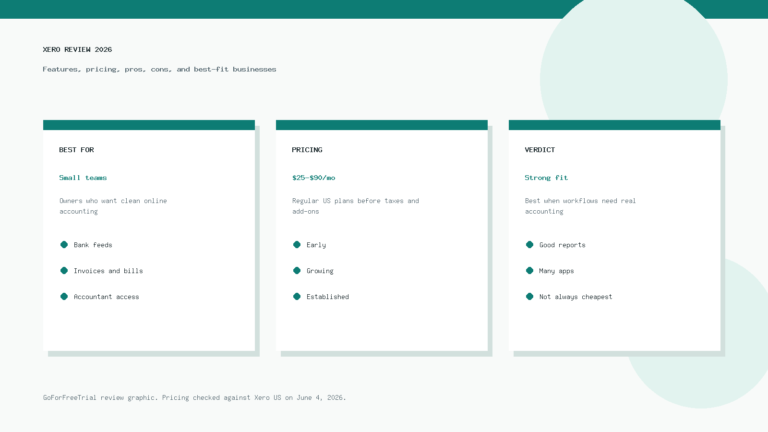
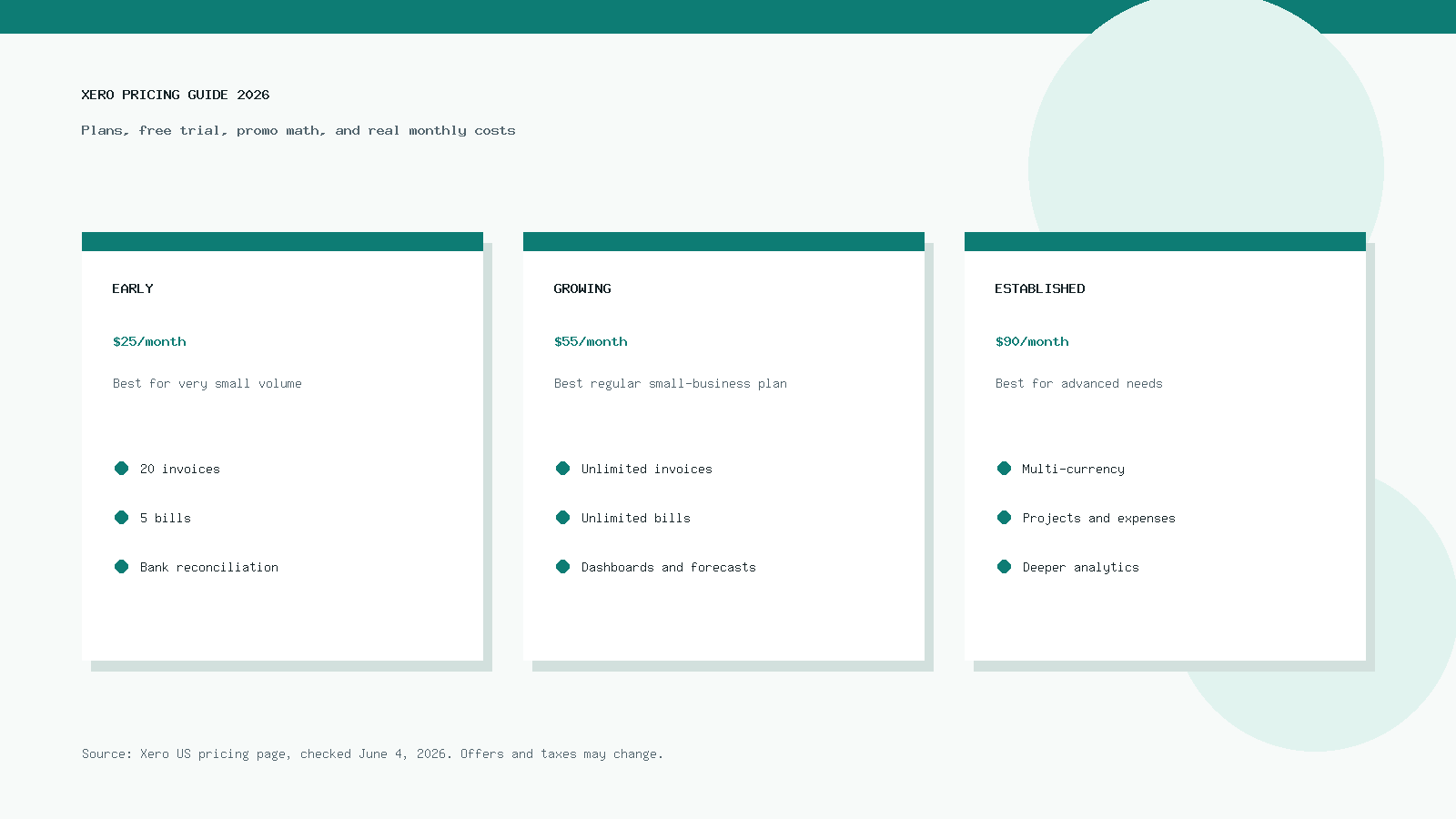
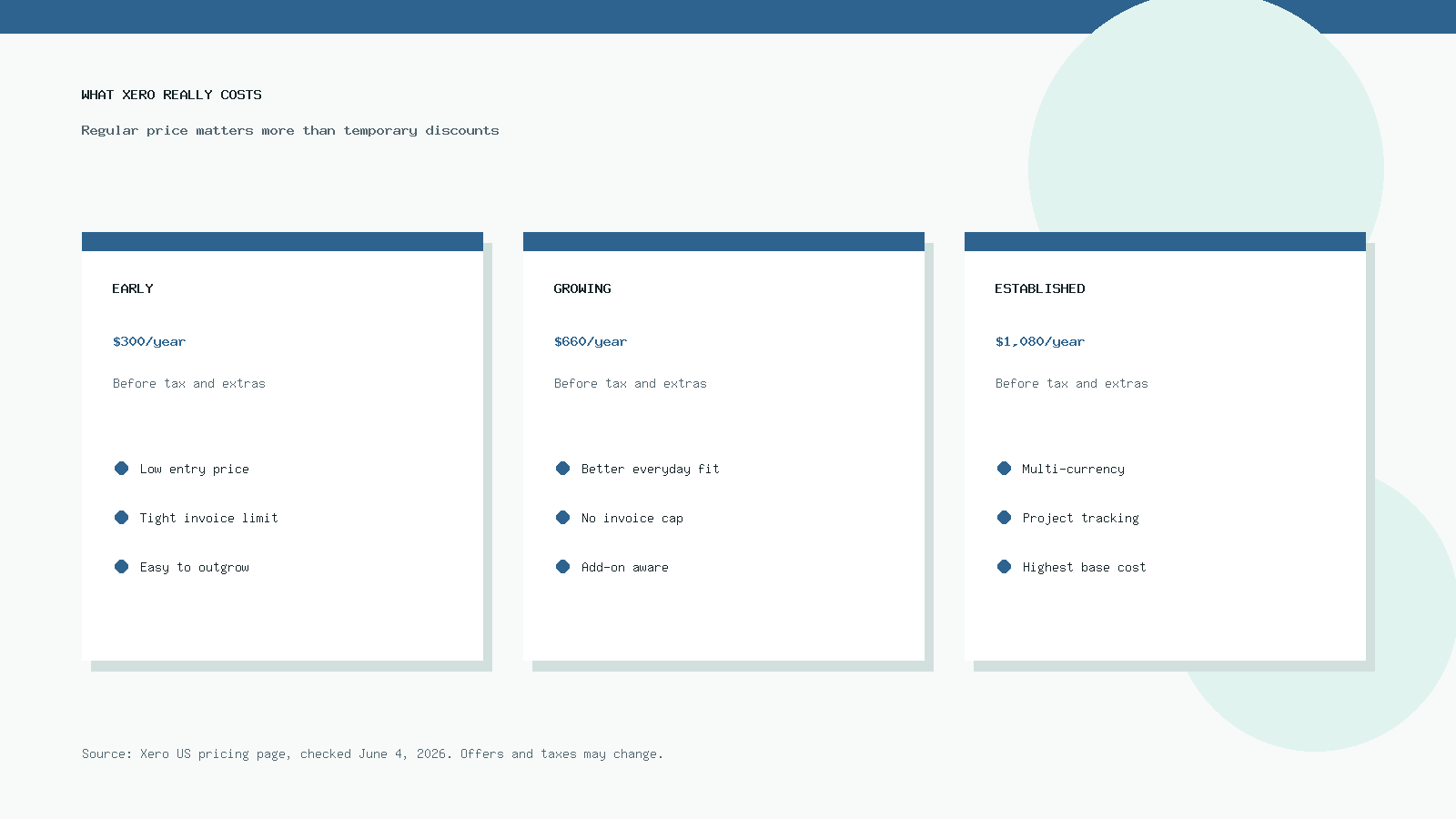
The current regular prices on Xero’s official US pricing page are $25, $55, and $90 per month. Xero states that prices exclude applicable taxes and that subscriptions auto-renew monthly until you cancel.
| Xero plan | Regular monthly price | Estimated annual cost before tax | Best fit |
|---|---|---|---|
| Early | 25$/mois | $300/year | Very small businesses with low invoice and bill volume |
| Growing | $55/month | $660/year | Most small businesses that need unlimited invoices and bills |
| Established | $90/month | $1,080/year | Businesses that need multi-currency, projects, expenses, and deeper reporting |
Those numbers do not include payment processing fees, taxes, payroll tools, extra apps, or optional services such as Inventory Plus. That is where the real cost can move above the base subscription.
For many small businesses, the best plan is not the cheapest one. The best plan is the cheapest one that handles your normal month without workarounds.
Xero Free Trial in 2026
Xero usually gives new users a free trial or a first-month offer, depending on the signup route and location. Xero also changes promotional offers, so check the current offer before you enter payment details.
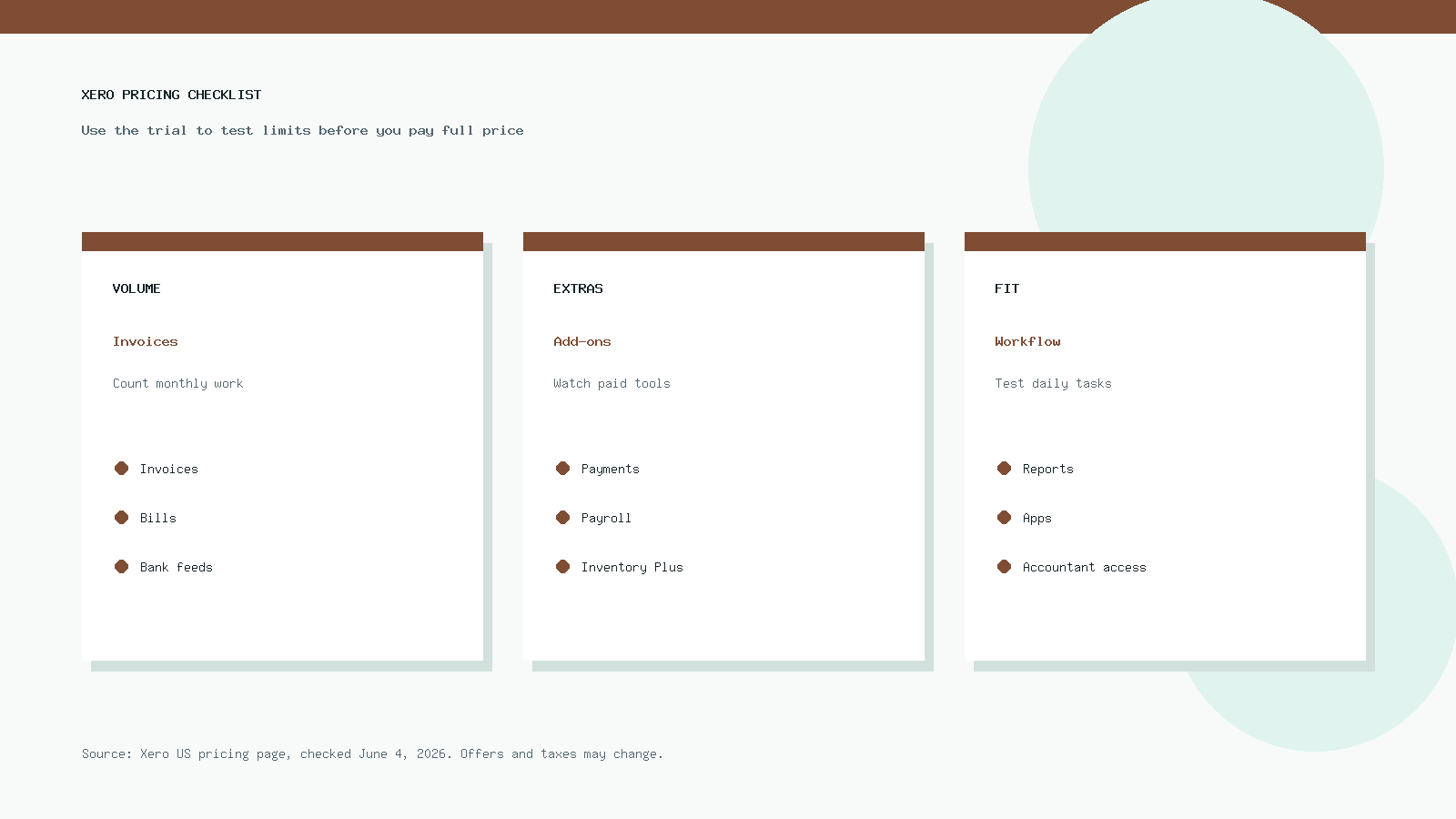
The safest way to use the trial is to test real work. Create invoices, connect a bank feed, import transactions, invite your accountant, test a report, and check the app integrations you actually need.
You can start here: try Xero free through GoForFreeTrial. If you want a broader tool comparison before signing up, use our accounting software comparison sheet.
Current Xero Promo: What 80% Off Means
At the time checked, Xero’s US pricing page advertised 80% off for the first 3 months for new customers. That brings Early to $5 per month, Growing to $11 per month, and Established to $18 per month during the discount window.
That offer can help you test Xero at a low short-term cost. It does not mean Xero costs $5, $11, or $18 forever.
After the promo ends, the plan renews at the regular monthly price unless you cancel or change plans. This is why you should calculate both the discount period and the ongoing price before you choose a plan.
| Plan | Promo price shown | Regular price | What to remember |
|---|---|---|---|
| Early | $5/month for 3 months | 25$/mois | Good test price, but invoice and bill limits still matter |
| Growing | $11/month for 3 months | $55/month | Often the better plan to test if you invoice regularly |
| Established | $18/month for 3 months | $90/month | Only worth it if you need its advanced tools |
Promotions also may exclude add-ons, payment fees, and other usage charges. Read the offer terms before you assume the discount applies to everything.
Xero Early Plan: Who Should Choose It?
Xero Early costs $25 per month at regular US pricing. It is the entry-level Xero plan, and it works best for businesses with very low transaction volume.
The important limit is volume. Early lets you send up to 20 invoices and enter up to 5 bills, which can feel fine at first and then become tight once the business gets busier.
Early can work for a solo consultant, a side business, a new service provider, or a simple company that sends only a few invoices each month. It can also work if you mainly want bank reconciliation, basic reports, sales tax, and W-9 or 1099 management.
It is less comfortable for a business that invoices daily, receives many supplier bills, or sells through multiple channels. If you hit the invoice or bill limit, the plan stops feeling cheap because your time cost goes up.
Choose Early if you know your monthly invoice and bill count will stay low. Skip it if you already expect growth, multiple clients, recurring billing, ecommerce orders, or regular vendor bills.
Xero Growing Plan: The Best Fit for Most Small Businesses
Xero Growing costs $55 per month at regular US pricing. For many small businesses, this is the plan that makes Xero feel like a full accounting system instead of a starter tool.
Growing removes the biggest Early limits. You can send invoices and enter bills without the tight caps that make Early hard to use once the business becomes active.
This plan usually fits consultants, agencies, contractors, online sellers with clean integrations, small professional firms, and local service businesses. It gives you room to run normal monthly accounting without constantly checking whether you have used up your invoice count.
The value of Growing depends on your workflow. If Xero saves you a few hours each month on invoicing, bill tracking, reconciliation, and reporting, the jump from Early can be easy to justify.
Growing is not always enough for companies that need multi-currency or built-in project cost tracking. If you invoice overseas customers, pay international vendors, or manage client projects in detail, compare it carefully with Established.
Xero Established Plan: When the Higher Price Makes Sense
Xero Established costs $90 per month at regular US pricing. It is the most expensive standard Xero plan, so it should solve a clear problem before you choose it.
The big reasons to choose Established are multi-currency, project tracking, expense and mileage claims, stronger analytics, and deeper business performance tools. These features can matter a lot for growing teams.
A business that bills international customers may need multi-currency from the start. A service agency may need project tracking to see which clients or jobs make money.
An owner who only needs invoices, bills, bank reconciliation, and standard reports probably does not need Established yet. In that case, Growing may deliver enough value at a lower monthly cost.
Do not buy Established just because the promo price looks cheap for the first 3 months. Buy it because the features will still matter when the plan returns to $90 per month.
Xero Real Costs Beyond the Monthly Plan
The base subscription is only one part of Xero’s total cost. You should also think about payment processing, payroll, apps, inventory, onboarding, bookkeeping help, and migration time.
Some of these costs are optional. Others become hard to avoid once your workflow depends on them.
Frais de traitement des paiements
Xero lets you accept online invoice payments, but payment fees can apply. Xero’s own pricing terms state that payment fees sit outside the monthly subscription and may not qualify for subscription discounts.
This matters if customers pay most invoices by card or online payment. A business with high payment volume should estimate processing fees before calling any accounting tool cheap.
Payroll Costs
Xero does not include full native US payroll in the base subscription in the same way some buyers expect. Xero commonly connects with Gusto for payroll, so payroll can become a separate monthly cost.
If you have employees, compare Xero plus payroll against alternatives before choosing. Payroll is one of the easiest places to underestimate the real cost.
Inventory Plus
Xero lists Inventory Plus as an optional add-on on its US pricing page. At the time checked, Xero showed the first month free and then $39 per month.
That add-on can matter for product businesses. If you sell physical products and need stronger inventory tools, include the add-on in your budget before you commit.
Ecommerce Connectors
Ecommerce sellers often need more than accounting software. They may need tools that summarize Shopify, Amazon, Stripe, PayPal, or marketplace payouts before the data lands in Xero.
Those connectors can save hours, but they can also add monthly fees. For a deeper ecommerce breakdown, read our best accounting software for ecommerce businesses guide.
Bookkeeper or Accountant Help
Xero has no per-user license fees on its standard plans, which helps when you want to invite your bookkeeper or accountant. Still, professional help costs money if you need cleanup, migration, tax support, or monthly bookkeeping.
Do not treat the software subscription as the full accounting budget. Most growing businesses also need time, process, and advice.
Xero Annual Cost Examples
Annual cost gives you a clearer view than promo pricing. Monthly discounts feel good, but a business normally keeps accounting software for years.
Here is the simple annual math before taxes, fees, and add-ons.
| Scenario | Likely plan | Base annual cost | Possible extra costs |
|---|---|---|---|
| Solo freelancer with a few invoices | Early | $300 | Payment fees, tax prep help |
| Small service business | Growing | $660 | Payroll, payment fees, accountant support |
| Ecommerce seller | Growing or Established | $660 to $1,080 | Connectors, inventory, payment fees |
| International agency | Established | $1,080 | Payroll, projects, advisor help |
| Product business with advanced inventory needs | Growing or Established plus add-on | $660 to $1,080 plus add-on | Inventory Plus, ecommerce apps, payment fees |
The cheapest plan can become expensive if it creates manual work. The most expensive plan can be reasonable if it replaces spreadsheets, late reconciliations, and unclear reporting.
Which Xero Plan Should You Choose?
Start with your normal month, not with the feature list. Count invoices, bills, users, bank accounts, currencies, projects, and apps.
If you send fewer than 20 invoices and enter fewer than 5 bills, Early may be enough. If those limits feel even slightly tight, test Growing instead.
If you sell products online, Growing may work with the right ecommerce connector. If you also need multi-currency, project tracking, or advanced expense handling, Established becomes easier to justify.
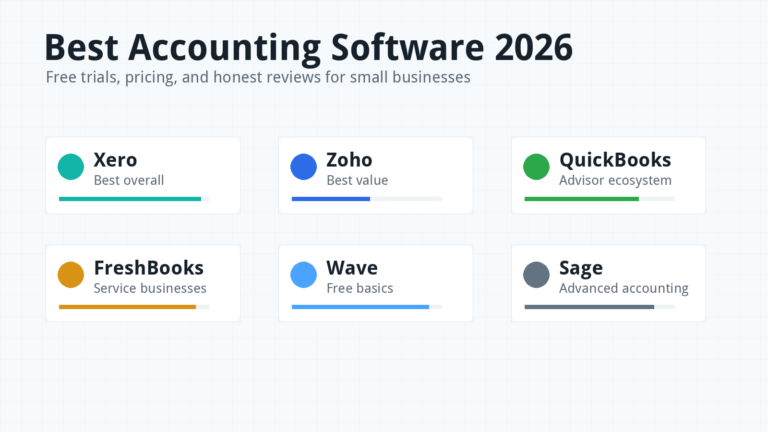
If you are still comparing Xero with QuickBooks, read our detailed Xero vs QuickBooks 2026 comparison. If you want more trial options, see our best accounting software 2026 guide.
Xero Pricing for Freelancers
Freelancers often look at Xero because it feels cleaner than a spreadsheet and more serious than a basic invoice app. The right plan depends on how many clients and bills you handle each month.
Early can work if you send only a handful of invoices and keep expenses simple. The 20-invoice limit is the number to watch.
Growing makes more sense if you send recurring invoices, work with several clients, or want room to grow. Paying more can be worth it if it prevents invoice limits from interrupting your month.
Freelancers who want a no-cost starting point can also compare the options in our best free bookkeeping software guide. Free tools can work for simple records, but they usually require more manual effort.
Xero Pricing for Small Businesses
Most active small businesses should test Growing first. It costs more than Early, but it removes the most frustrating volume caps.
A local service company, consultant team, agency, or contractor usually needs steady invoicing, bill tracking, reconciliation, reports, and accountant access. Growing covers that better than Early for many businesses.
Established makes sense when the business adds complexity. Multi-currency, projects, expenses, and deeper analytics can become worth the price once reporting affects hiring, pricing, or cash-flow decisions.
The trial period should answer one question: does Xero reduce monthly accounting friction enough to justify the ongoing cost? If the answer is yes, the software has done its job.
Xero Pricing for Ecommerce Sellers
Ecommerce accounting has a different cost structure. The software plan is only the beginning because marketplace payouts, fees, returns, inventory, and sales tax can create messy books.
Many ecommerce sellers should avoid choosing Early unless their store is very small. The invoice and bill limits do not match the way ecommerce data usually flows.
Growing is often a practical starting point if you use Shopify, Amazon, Stripe, PayPal, or other apps with clean summaries. Established may be better if your store sells internationally or needs project, expense, or multi-currency features.
Do not forget connector costs. A tool that posts clean payout summaries to Xero can cost extra, but it may save more time than it costs if your order volume is high.
Xero vs QuickBooks Pricing
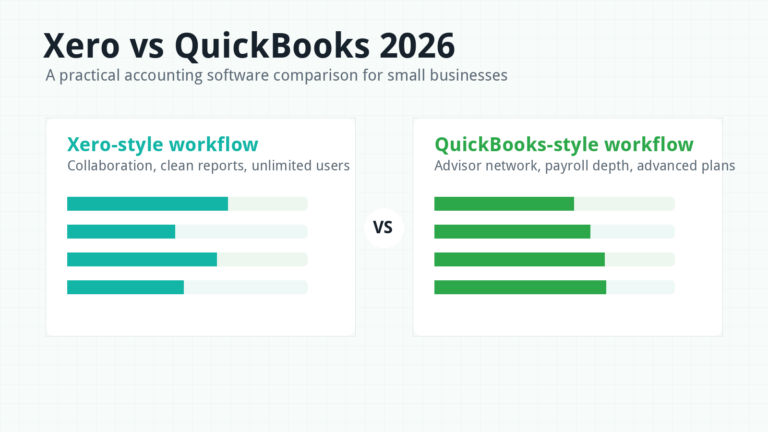
Xero and QuickBooks both use tiered pricing, promos, and add-ons. The cheaper option depends on payroll, users, inventory, apps, and the accounting workflow you prefer.
Xero’s no per-user license fees can help when several people need access. QuickBooks may feel more familiar to some US accountants and businesses that want native payroll options in the same ecosystem.
Do not compare only the lowest advertised monthly price. Compare the plan you would actually use after the promo ends.
For the fuller feature-by-feature breakdown, use our Xero vs QuickBooks guide. You can also check the official QuickBooks pricing page before making a final choice.
Xero vs Zoho Books and FreshBooks Pricing
Zoho Books and FreshBooks can look cheaper than Xero in some cases. That does not automatically make them better or worse.
Zoho Books may appeal to businesses already using Zoho’s wider suite. FreshBooks may appeal to service providers who want simple invoicing and time tracking.
Xero may be the better fit when you want strong accountant collaboration, clean bank reconciliation, unlimited users, and a broad app ecosystem. Still, the right choice depends on your workflow.
For another perspective, read our Zoho Books review, then compare current prices on the official Zoho Books pricing page et FreshBooks pricing page.
How to Test Xero Before Paying Full Price
Use the trial like a real accounting month. Do not just click around the dashboard.
Create at least three invoices, enter several bills, connect one bank account, reconcile sample transactions, and run a profit and loss report. If you sell online, connect or test the ecommerce app before you commit.
Invite your accountant or bookkeeper during the trial if you have one. Their feedback can save you from choosing a plan that looks good to you but creates cleanup work later.
Also test mobile use if you capture receipts, approve invoices, or check cash flow away from your desk. Software only saves time if it fits the way you actually work.
How to Lower Your Xero Cost Without Choosing the Wrong Plan
The easiest way to lower your Xero cost is to choose the right plan from the start. That sounds obvious, but many businesses either underbuy and waste time, or overbuy because a promo makes the top plan look cheap.
First, test the plan with your real monthly volume. If Early forces you to delay invoices or split work into spreadsheets, it is not saving money.
Second, avoid add-ons until you know you need them. A connector, inventory tool, or reporting app can be worth the price, but only if it removes a real bottleneck.
Third, review your plan after the promo ends. If you tested Established for multi-currency or projects and did not use those tools, downgrade before the higher monthly cost becomes normal.
Fourth, clean your chart of accounts early. A tidy setup reduces bookkeeping time, and bookkeeping time is part of the real cost even when it does not appear on Xero’s pricing page.
Finally, compare the total stack once a quarter. Xero plus payroll plus ecommerce connectors may still be the right stack, but you should know what each tool is doing for the business.
Xero Common Pricing Mistakes
The first mistake is choosing Early only because it has the lowest regular price. Early is useful, but the invoice and bill limits make it the wrong plan for many active businesses.
The second mistake is judging Xero by the promo price. A three-month discount can make any plan look inexpensive, but your long-term budget should use the regular price.
The third mistake is ignoring add-ons. Payment fees, payroll, ecommerce connectors, inventory tools, and bookkeeping help can matter more than the base subscription.
The fourth mistake is waiting too long to involve an accountant. Clean setup costs less than cleanup after months of messy data.
Is Xero Worth the Price in 2026?
Xero is worth the price when it saves time, improves cash-flow visibility, and gives your accountant clean records. It is not worth the price if you only need a simple ledger and do not use the features.
Early is worth considering for low-volume businesses. Growing is usually the most practical plan for active small businesses. Established is worth it when advanced features solve real problems.
If you are unsure, start with a trial and test your normal workflow. You can always cancel if it does not fit, and you can compare other tools before paying full price.
Foire aux questions
How much does Xero cost in 2026?
In the United States, Xero’s regular monthly prices are $25 for Early, $55 for Growing, and $90 for Established. These prices exclude taxes, payment fees, and optional add-ons.
Does Xero have a free trial?
Xero commonly offers a free trial or first-month/free-start promotion depending on the signup path and country. You can check the current Xero offer through our Xero trial link.
Which Xero plan is best for small businesses?
Growing is often the best fit for active small businesses because it removes the tight invoice and bill limits found in Early. Established is better for companies that need multi-currency, projects, expenses, and advanced analytics.
Is Xero Early enough?
Xero Early can be enough if you send up to 20 invoices and enter up to 5 bills each month. If your business does more than that, Growing will usually feel less restrictive.
Does Xero charge per user?
Xero promotes no per-user license fees on its standard business plans. This can help teams that want to invite owners, staff, bookkeepers, and accountants without paying a separate seat fee for each person.
What is the real cost of Xero?
The real cost is the monthly plan plus taxes, payment processing fees, payroll tools, inventory add-ons, ecommerce connectors, and professional bookkeeping help if you need it. A realistic budget should include all of those pieces.
Sources Checked
Pricing and feature details were checked against the official Xero US pricing page, Xero features page, QuickBooks pricing page, Zoho Books pricing page, and FreshBooks pricing page. Prices can change, so always confirm the final checkout total before subscribing.