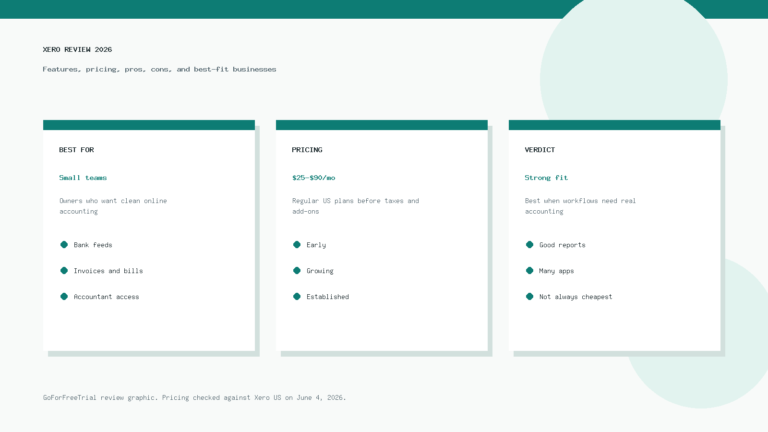
Réponse courte : Xero is better for teams that want clean collaboration, no per-user license fees, strong bank reconciliation, and a modern accounting workflow. QuickBooks is better for businesses that want the widest US accountant network, deeper native payroll options, and more advanced plan tiers.
That is the honest answer, but it is not the whole answer. The better accounting software in 2026 depends on your business model, your bookkeeper, your team size, your payroll needs, and how much complexity you want to manage.
Affiliate disclosure: GoForFreeTrial may earn a commission if you try Xero through links on this page. We are not an affiliate partner for QuickBooks, and this comparison is written to help you choose the right tool, not to push the wrong one.
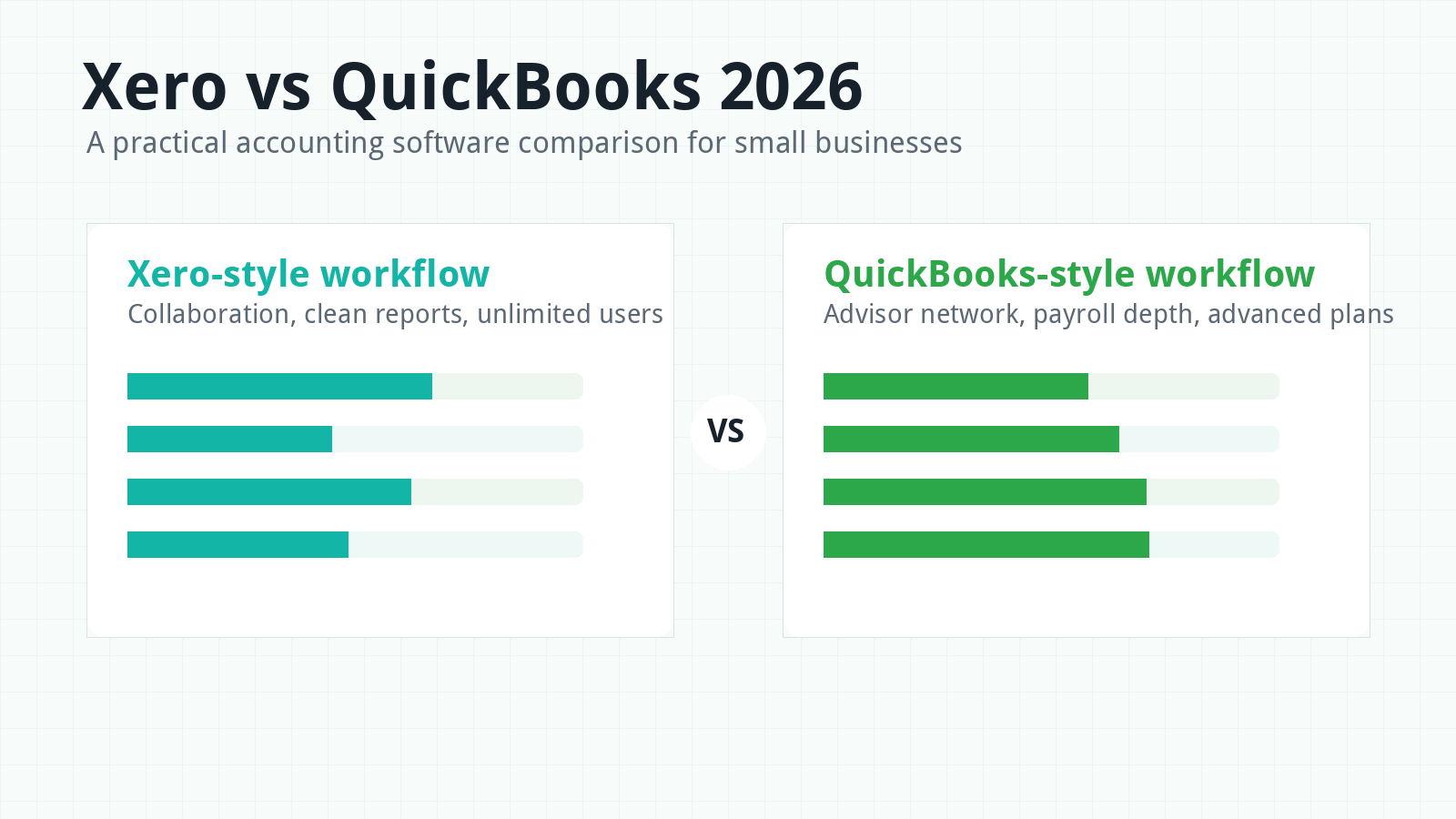
Xero vs QuickBooks in 2026: Quick Verdict
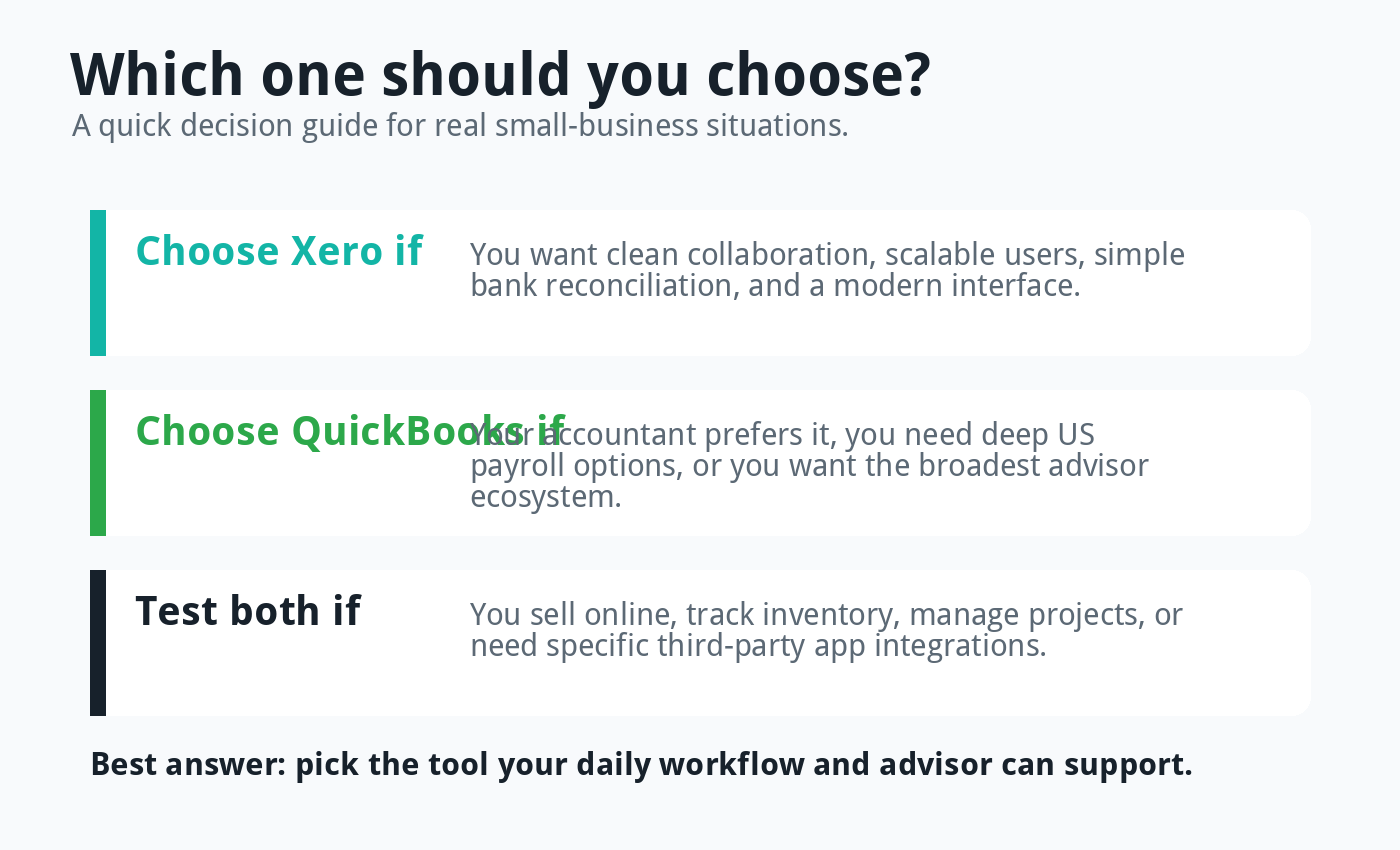
If you want a simple rule, choose Xero when collaboration and usability matter most. Choose QuickBooks when your accountant, payroll setup, or reporting workflow already depends on the Intuit ecosystem.
Xero feels lighter and cleaner for many small teams. It works especially well when owners, bookkeepers, accountants, and team members all need access without constantly thinking about user seats.
QuickBooks Online feels more established in the United States. It has strong accountant familiarity, a large support ecosystem, and higher-end plans for businesses that need deeper controls.
Both platforms can handle the accounting basics. They both support invoicing, bills, bank feeds, reconciliation, reports, sales tax, mobile access, and app integrations.
The difference appears when your business grows. Xero usually wins on team access and day-to-day simplicity, while QuickBooks often wins on US familiarity and advanced native features.
Want a wider accounting software spreadsheet? You can also check this published comparison sheet.
Who Should Choose Xero?
Xero is a strong fit for small businesses that want accounting software to feel organized, approachable, and collaborative. It is especially attractive when several people need access to the same books.
For example, a business owner may need dashboard access, a bookkeeper may need daily transaction access, an accountant may need reporting access, and an operations manager may need invoicing or expense access. Xero’s no per-user license fee structure makes that setup easier to plan.
Xero also makes sense for owners who care about clean bank reconciliation. Its bank rules, cash flow views, and simple navigation can make routine bookkeeping feel less heavy.
It is also a good option for ecommerce businesses, agencies, consultants, contractors, and international businesses that rely on cloud tools. Xero’s app marketplace gives owners room to build a stack around inventory, payments, payroll, forecasting, CRM, and ecommerce platforms.
If you are comparing options for online sellers, read our guide to the best accounting software for ecommerce businesses. Xero often belongs on that shortlist, but it is not the only tool worth testing.
Who Should Choose QuickBooks?
QuickBooks Online is a strong fit when your accountant already uses it, your payroll needs are US-heavy, or you want a platform many bookkeepers already know. That familiarity can save time during setup and tax season.
QuickBooks can also suit businesses that need more structured plan levels. Its Simple Start, Essentials, Plus, and Advanced plans give businesses a clear path from basic bookkeeping to deeper reporting, user controls, project profitability, and workflow tools.
The tradeoff is cost and complexity. As you add users or move into higher plans, QuickBooks can become expensive compared with simpler tools.
Still, many US businesses choose QuickBooks because their accountant recommends it. That is a valid reason, especially if the accounting help around you is more important than the software interface itself.
Pricing Comparison for 2026
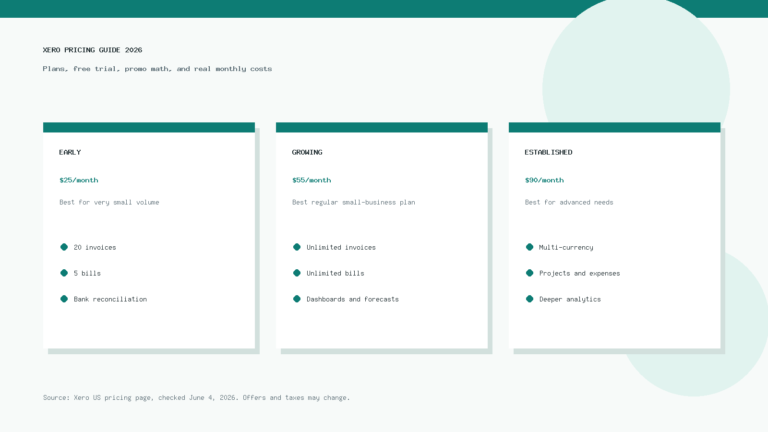
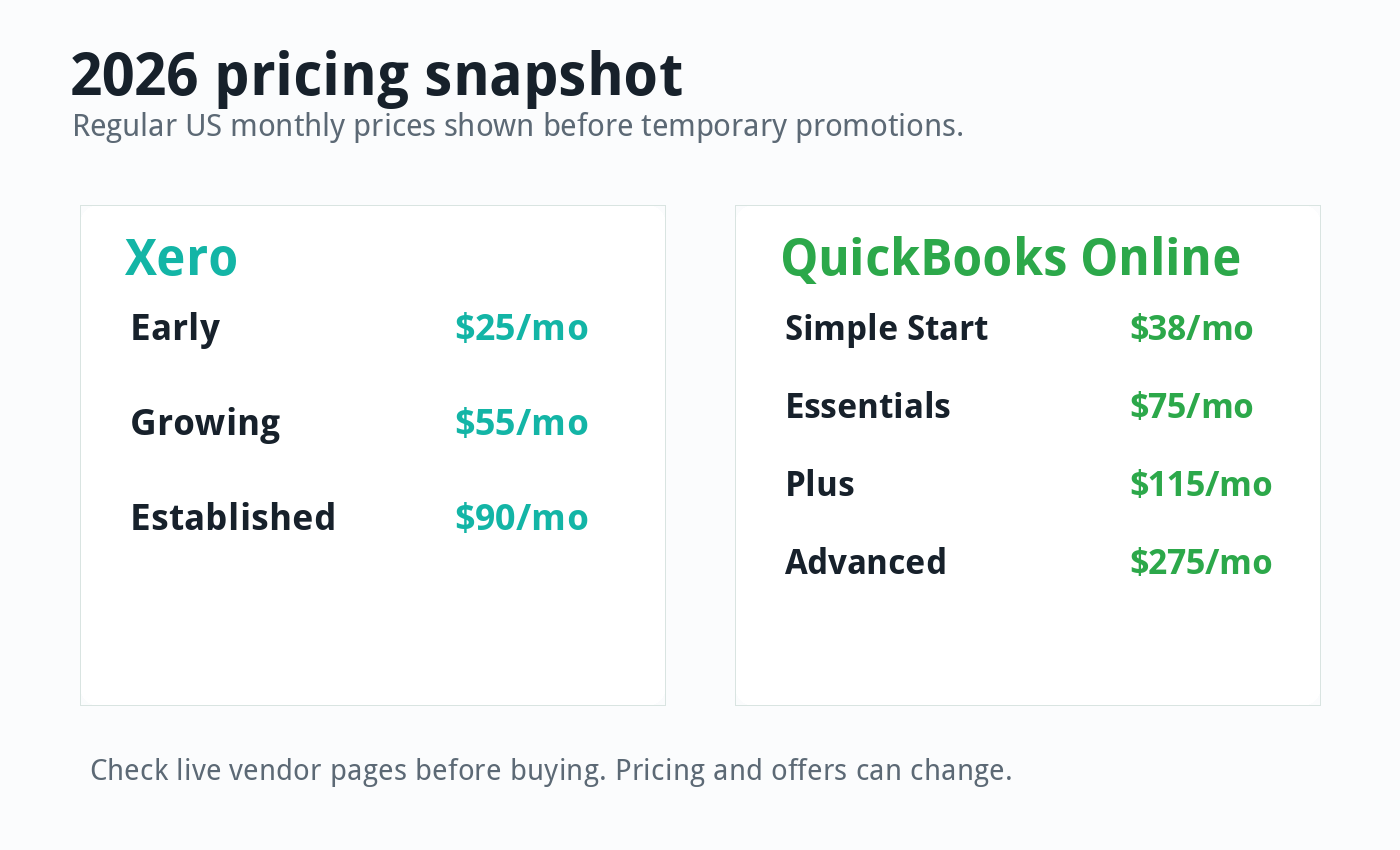
Pricing changes often, and both companies run promotions. As of June 4, 2026, Xero’s US pricing page lists regular monthly prices of $25 for Early, $55 for Growing, and $90 for Established before temporary offers.
QuickBooks Online’s US pricing page lists regular monthly prices of $38 for Simple Start, $75 for Essentials, $115 for Plus, and $275 for Advanced before temporary offers. Both vendors can change these prices, so always check the live pricing page before you buy.
| Plan Level | Xero | QuickBooks Online | What it means |
|---|---|---|---|
| Entry | Early, usually $25/mo | Simple Start, usually $38/mo | Xero starts lower, but Early has invoice and bill limits. |
| Middle | Growing, usually $55/mo | Essentials, usually $75/mo | Both fit many service businesses, but user limits differ. |
| Upper SMB | Established, usually $90/mo | Plus, usually $115/mo | Both add stronger tools for growing businesses. |
| Avancé | No direct equivalent in core Xero plans | Advanced, usually $275/mo | QuickBooks has a higher native tier for larger teams. |
Xero’s pricing advantage usually becomes clearer when more people need access. QuickBooks plans include user limits, while Xero highlights no per-user license fees on its US pricing page.
That does not mean Xero is always cheaper. Add-ons, payment fees, payroll, inventory tools, ecommerce connectors, and advisor costs can change the real monthly bill.
For a deeper breakdown, read our Xero pricing guide for 2026. It explains plans, trial details, add-ons, and the real costs many buyers forget to include.
Facilité d'utilisation
Xero has a cleaner feel for many first-time users. Its dashboard, navigation, bank reconciliation screen, and reporting areas usually feel less crowded.
That matters more than people think. Accounting software is not something you use once and forget.
You may open it every week to send invoices, match bank transactions, check unpaid bills, review cash flow, and send reports to your accountant. A cleaner interface can reduce friction over hundreds of small tasks.
QuickBooks is not hard to use, but it can feel busier. Some owners like that because more options appear inside the product.
Others find it more layered than they need. If your business only needs invoices, expenses, bank feeds, and basic reports, QuickBooks may feel heavier than Xero.
Invoicing and Getting Paid
Both Xero and QuickBooks handle online invoicing well. You can create invoices, send them to customers, track payment status, and connect payment options.
Xero’s invoicing feels simple and modern. It works well for service businesses that send recurring or repeat invoices and want a clear view of what is unpaid.
QuickBooks also has strong invoicing. It may be the better fit if your invoices connect closely with estimates, projects, time tracking, payments, and payroll workflows.
Neither product is automatically best for every invoice-heavy business. The right choice depends on how you bill customers and which payment tools you already use.
Bank Feeds and Reconciliation
Bank reconciliation is where Xero often earns loyal users. It makes matching transactions feel fast, especially after you build useful bank rules.
QuickBooks also supports bank feeds and automated categorization. It can learn from how you categorize transactions and apply rules over time.
The practical difference is feel. Xero often feels like it was designed around daily reconciliation, while QuickBooks feels like a broader business platform that includes reconciliation as one important feature.
If you reconcile often, test this workflow before choosing. Import a small sample of bank transactions and see which product feels easier after ten real matches.
Reports and Cash Flow
Both tools cover the standard reports a small business needs. You can review profit and loss, balance sheet, cash flow, accounts receivable, accounts payable, and sales reports.
Xero’s reporting is clean, especially for owners who want clear visuals and simple cash flow views. Its higher plan also adds stronger forecasting and performance tools.
QuickBooks becomes stronger as you move up the plan ladder. Plus and Advanced add more reporting depth, project profitability, class and location tracking, custom permissions, and other controls.
If you only need simple reports, both are enough. If you need more management reporting, compare Xero Established with QuickBooks Plus or Advanced instead of comparing only the cheapest plans.
Payroll and Contractor Payments
Payroll can decide the whole comparison. QuickBooks has a strong native payroll ecosystem in the United States, and many small businesses like keeping payroll close to accounting.
Xero connects with Gusto for US payroll. That can work very well, especially if you already like Gusto or want payroll handled by a dedicated payroll platform.
The better choice depends on your payroll complexity. A simple team may be happy with either setup, while a business with many employees, contractor payments, benefits, and state requirements should compare payroll workflows carefully.
Do not choose accounting software on monthly price alone if payroll is central to your business. A cheaper subscription can become expensive if payroll takes more time or creates more cleanup work.
Inventory, Ecommerce, and Projects
Inventory and ecommerce businesses need to be careful. Both Xero and QuickBooks can support inventory workflows, but many sellers still need third-party apps for serious ecommerce accounting.
Xero has a strong app ecosystem and can work well with ecommerce connectors. It is often a good choice when the business already uses tools like Shopify, Stripe, PayPal, inventory apps, or reporting add-ons.
QuickBooks Plus includes inventory and project profitability features that many US businesses recognize. QuickBooks Advanced adds more controls for growing teams.
If you sell products online, do not stop at “does it have inventory?” Ask whether it handles your sales channels, payment processors, refunds, fees, sales tax, purchase orders, and month-end reconciliation.
We also cover ecommerce cost planning in our guide to ecommerce accounting software costs. That guide can help you estimate the full stack, not just the accounting subscription.
App Integrations
Xero and QuickBooks both connect with many third-party apps. This includes payments, payroll, ecommerce, inventory, time tracking, CRM, reporting, and document capture tools.
Xero’s marketplace is one of its main strengths. It fits businesses that want to assemble a clean finance stack around best-in-class tools.
QuickBooks also has a large integration ecosystem. It may be stronger if your existing tools already promote QuickBooks as the default accounting connection.
Before you choose, list your required apps. Then check each integration for sync direction, setup difficulty, extra fees, and whether users complain about duplicate transactions.
Accountant and Bookkeeper Support
QuickBooks has a major advantage in US accountant familiarity. Many bookkeepers and tax pros know it well, and that makes hiring help easier in some markets.
Xero also has a strong accountant and bookkeeper network, but QuickBooks remains the default recommendation in many US small-business circles. That can matter if you want local help, fast cleanup, or a tax professional who already has a preferred process.
Still, do not let one accountant’s preference decide everything. Ask what they recommend, why they recommend it, and whether they support both platforms.
A good accountant can work with several tools. The best tool is the one that keeps your books accurate and your owner workflow sane.
Mobile Apps
Both Xero and QuickBooks offer mobile apps. You can check financial data, capture receipts, send invoices, and manage common tasks away from your desk.
QuickBooks has an edge for businesses that want a broad mobile business management experience. Xero’s app is more focused on the accounting tasks many owners need most often.
If mobile work matters, download both apps during the trial period. Send a test invoice, upload a receipt, and check reports from your phone.
Customer Support and Onboarding
Support quality can vary by plan, region, and issue. Xero promotes onboarding help and online support resources, while QuickBooks offers support options and expert assistance tied to its plans and promotions.
Do not judge support only by the sales page. Search recent user feedback, ask your accountant what they see in practice, and test help resources before migrating your books.
The best onboarding path is usually simple. Start with a clean chart of accounts, connect bank feeds carefully, import only the data you need, and ask a bookkeeper to review the setup before you rely on reports.
Where Xero Wins
- Cleaner interface for many day-to-day bookkeeping tasks.
- No per-user license fees on Xero’s US pricing page.
- Strong bank reconciliation workflow.
- Good fit for collaborative teams and advisor access.
- Solid app ecosystem for ecommerce, reporting, payroll, and payments.
- Competitive regular pricing against comparable QuickBooks plans.
Xero’s biggest strength is that it feels built for owners who want accounting to stay understandable. It does not remove the need for bookkeeping discipline, but it can reduce the friction around it.
That makes it especially useful for businesses that hate seat limits. If several people touch finance work, Xero can feel more flexible.
Where QuickBooks Wins
- Large US accountant and bookkeeper ecosystem.
- Strong payroll and payments ecosystem.
- More plan depth, including a high-end Advanced plan.
- Good fit for businesses that already use Intuit tools.
- Broad recognition among lenders, advisors, and small-business service providers.
- Advanced features for reporting, permissions, workflows, and project tracking on higher plans.
QuickBooks wins when ecosystem familiarity matters more than interface simplicity. That is not glamorous, but it is important.
If your bookkeeper works faster in QuickBooks, the labor savings may outweigh the higher subscription price. Software cost is only one part of the total cost.
Xero vs QuickBooks: Feature-by-Feature Summary
| Catégorie | Winner | Why |
|---|---|---|
| Ease of use | Xero | Cleaner layout and smoother routine bookkeeping for many users. |
| Accountant familiarity in the US | QuickBooks | More US bookkeepers and accountants already know it. |
| Pricing for multiple users | Xero | No per-user license fees make team access simpler. |
| Advanced native plan depth | QuickBooks | Advanced adds stronger controls, reporting, support, and workflows. |
| Rapprochement bancaire | Xero | Fast, clean, and one of Xero’s best-loved workflows. |
| Payroll in the US | QuickBooks | QuickBooks has deeper native payroll ties, while Xero commonly uses Gusto. |
| Ecommerce flexibility | Tie | Both can work well, but the right app stack matters more than the brand. |
| Best for beginners | Xero | Many owners find it easier to learn. |
| Best for advisor-led businesses | QuickBooks | It may fit better when your accountant already has a QuickBooks process. |
Real-World Buying Advice
Do not choose accounting software because one feature list looks longer. Choose it based on the work you do every week.
If your week revolves around reconciling bank transactions, sending invoices, reviewing cash flow, and sharing access with an accountant, Xero deserves a serious trial. It handles those tasks with less noise than many accounting tools.
If your business relies on payroll, US accountant support, advanced reporting, and a familiar ecosystem, QuickBooks deserves a serious trial too. It remains popular for a reason.
Also think about switching costs. Moving from one accounting platform to another can take more time than the monthly price difference suggests.
If you already have accurate books in QuickBooks and your accountant is happy, switching to Xero only makes sense if you have a clear reason. If you are starting fresh, Xero may feel easier to set up and live with.
Best Choice by Business Type
Freelancers and consultants: Xero is often easier if you want simple invoicing, clean reports, and low-friction bookkeeping. QuickBooks can also work, especially if your tax pro prefers it.
Small service businesses: Xero is a strong fit when multiple people need access. QuickBooks is a strong fit when payroll and advisor familiarity matter more.
Ecommerce sellers: Test both with your real sales channels. The accounting software matters, but your connector setup matters just as much.
Agencies and project-based teams: QuickBooks Plus and Advanced may appeal because of project profitability and reporting features. Xero Established can also work well if you prefer its interface and app ecosystem.
Growing teams: Xero’s user access model can help keep costs predictable. QuickBooks Advanced may make sense when you need stronger permissions, workflows, and reporting controls.
Very small businesses on a tight budget: You may want to compare both against lower-cost tools. Our guide to the best free bookkeeping software can help if you are not ready for a paid subscription.
Common Mistakes to Avoid
The first mistake is choosing the cheapest plan without checking limits. Xero Early limits invoices and bills, while QuickBooks Simple Start limits users and leaves out features many growing businesses later need.
The second mistake is ignoring your accountant. If your accountant only supports one platform, you need to know that before you migrate.
The third mistake is forgetting add-ons. Payroll, payment processing, ecommerce connectors, inventory apps, and reporting tools can change the real cost quickly.
The fourth mistake is importing messy data. Clean up your chart of accounts, customers, vendors, and opening balances before you move.
The fifth mistake is never testing the workflow. A 30-minute trial with real tasks can teach you more than ten comparison tables.
How to Test Xero and QuickBooks Fairly
Start with the same five tasks in each tool. Create one invoice, enter one bill, connect or simulate a bank transaction, run a profit and loss report, and invite an accountant or test user.
Then ask yourself which platform felt clearer. Also ask which one your bookkeeper can support without extra training.
Next, price the real setup. Include subscription cost, payroll, payment fees, app connectors, inventory tools, accountant support, and expected cleanup time.
Finally, look one year ahead. The best software is not just the tool that fits today; it is the tool that can support your next stage without making every month-end close painful.
Final Verdict: Is Xero or QuickBooks Better in 2026?
Xero is the better choice in 2026 for many small businesses that want cleaner software, easier collaboration, strong reconciliation, and flexible team access. It is especially appealing when you want accounting to feel less cluttered.
QuickBooks is the better choice for businesses that value US accountant familiarity, native payroll depth, advanced plan options, and the wider Intuit ecosystem. It is not always the simplest tool, but it is deeply established.
If you are starting from scratch, I would test Xero first because it is clean, collaborative, and competitively priced. If your accountant strongly prefers QuickBooks or your payroll workflow depends on it, QuickBooks may be the safer choice.
The fairest answer is this: Xero is better for simplicity and collaboration, while QuickBooks is better for familiarity and advanced US ecosystem depth. Pick the one that makes your real bookkeeping easier, not the one with the loudest sales page.
Sources and Further Reading
- Xero US pricing plans
- Xero features
- QuickBooks Online pricing
- QuickBooks features
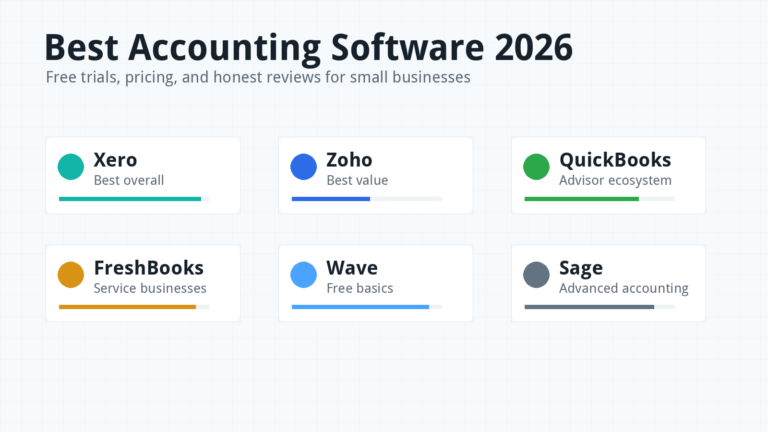
- Best accounting software 2026
- Zoho Books review 2026
FAQ
Is Xero cheaper than QuickBooks?
Xero’s regular US plan prices are lower than comparable QuickBooks Online regular prices in many cases. The real cost still depends on users, payroll, payment fees, add-ons, integrations, and accountant support.
Is QuickBooks better for US businesses?
QuickBooks can be better for US businesses that rely on local accountant familiarity, payroll, and Intuit’s ecosystem. Xero can still be the better fit if you value collaboration, usability, and a cleaner workflow.
Can I switch from QuickBooks to Xero?
Yes, but plan the migration carefully. Clean your data, confirm opening balances, export important reports, and ask an accountant or bookkeeper to review the new setup.
Which is better for ecommerce, Xero or QuickBooks?
Both can work for ecommerce, but the connector setup matters more than the brand. Test your sales channels, payment processors, refunds, fees, inventory, and sales tax workflow before choosing.