Short answer: the best accounting software in 2026 is Xero for most growing small businesses, Zoho Books for value, QuickBooks for accountant familiarity, FreshBooks for service businesses, Wave for free basics, and Sage for deeper accounting needs.
That answer is useful, but it is too simple by itself. Accounting software affects invoices, taxes, cash flow, payroll, inventory, ecommerce, reporting, and the way your accountant works with you.
The right tool is not always the one with the longest feature list. It is the one that keeps your books accurate without making routine work feel heavier than it needs to be.
ข้อเปิดเผยข้อมูลพันธมิตร: GoForFreeTrial may earn a commission if you try Xero through links on this page. We are not paid by every company mentioned here, and this guide is written to compare fit, pricing, free trials, and real small-business use cases.
Best Accounting Software 2026: Quick Picks
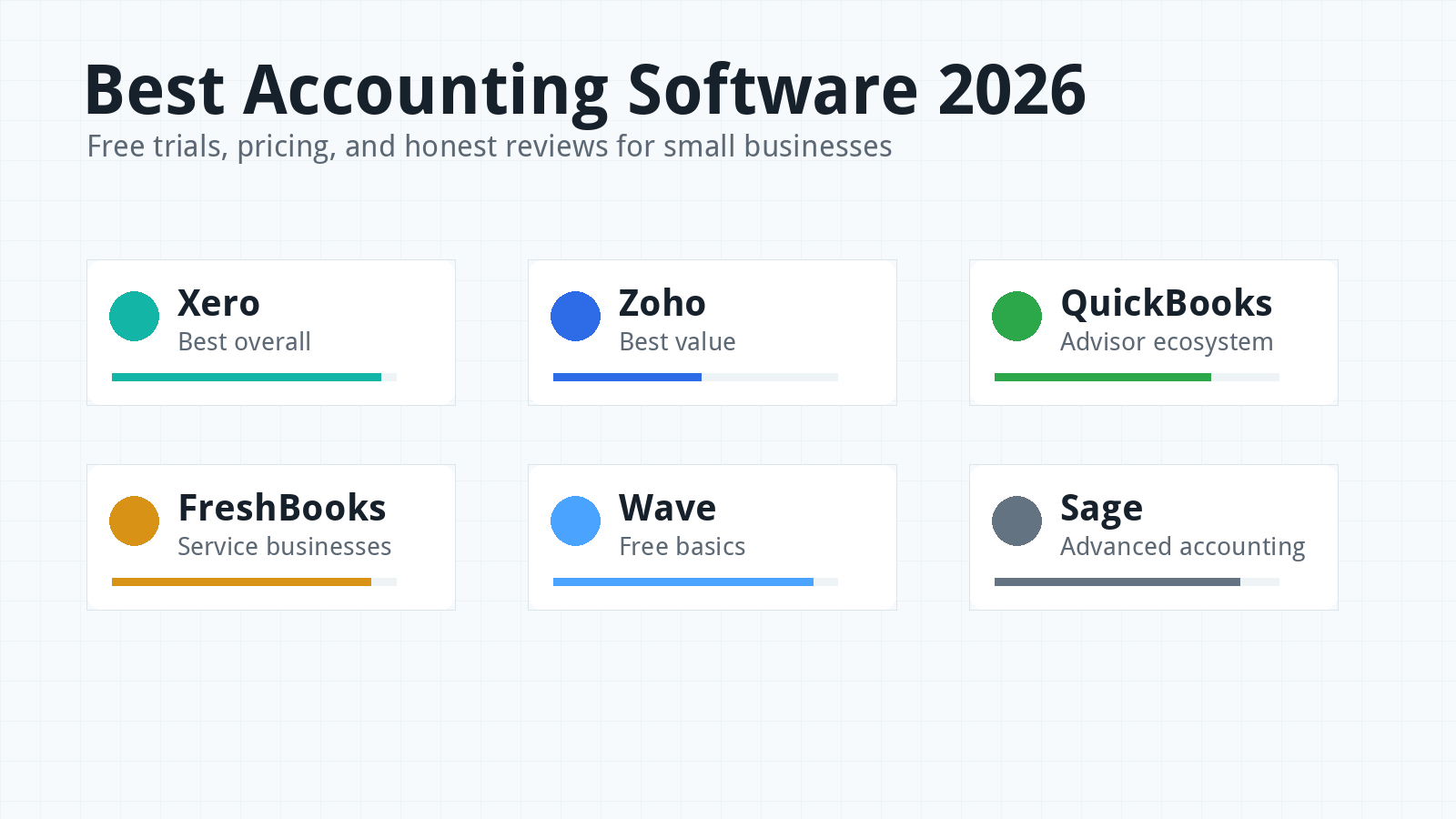
If you want the fastest shortlist, start with Xero, Zoho Books, and QuickBooks. Those three cover the widest range of small-business bookkeeping needs in 2026.
Xero is the best first trial for many growing businesses because it balances clean design, collaboration, bank reconciliation, reporting, and integrations. It is especially strong when multiple people need access to the books.
Zoho Books is the best value pick. It has a free plan for very small businesses, affordable paid plans, and a wider Zoho ecosystem for companies that also need CRM, expense, inventory, or project tools.
QuickBooks Online is the best pick when US accountant familiarity matters most. Many bookkeepers, tax preparers, and advisors already know the QuickBooks workflow.
FreshBooks is best for freelancers, consultants, and service businesses that care more about invoicing, estimates, expenses, and client work than complex accounting. Wave is best for free basics, and Sage is best for businesses that need more mature accounting depth.
Want a spreadsheet-style view too? Check this published accounting software comparison sheet.
How I Compared These Accounting Tools
I compared each tool through the lens of a small business owner, not a software analyst trying to reward every checkbox. The goal is to find tools that people can actually use every week.
The main factors were pricing, free trial availability, bookkeeping workflow, invoicing, bank reconciliation, reporting, payroll options, ecommerce fit, integrations, accountant access, support, and upgrade path.
I also looked at hidden cost traps. These include user limits, client limits, receipt scanning limits, payroll add-ons, payment fees, inventory upgrades, ecommerce connectors, and paid advisor help.
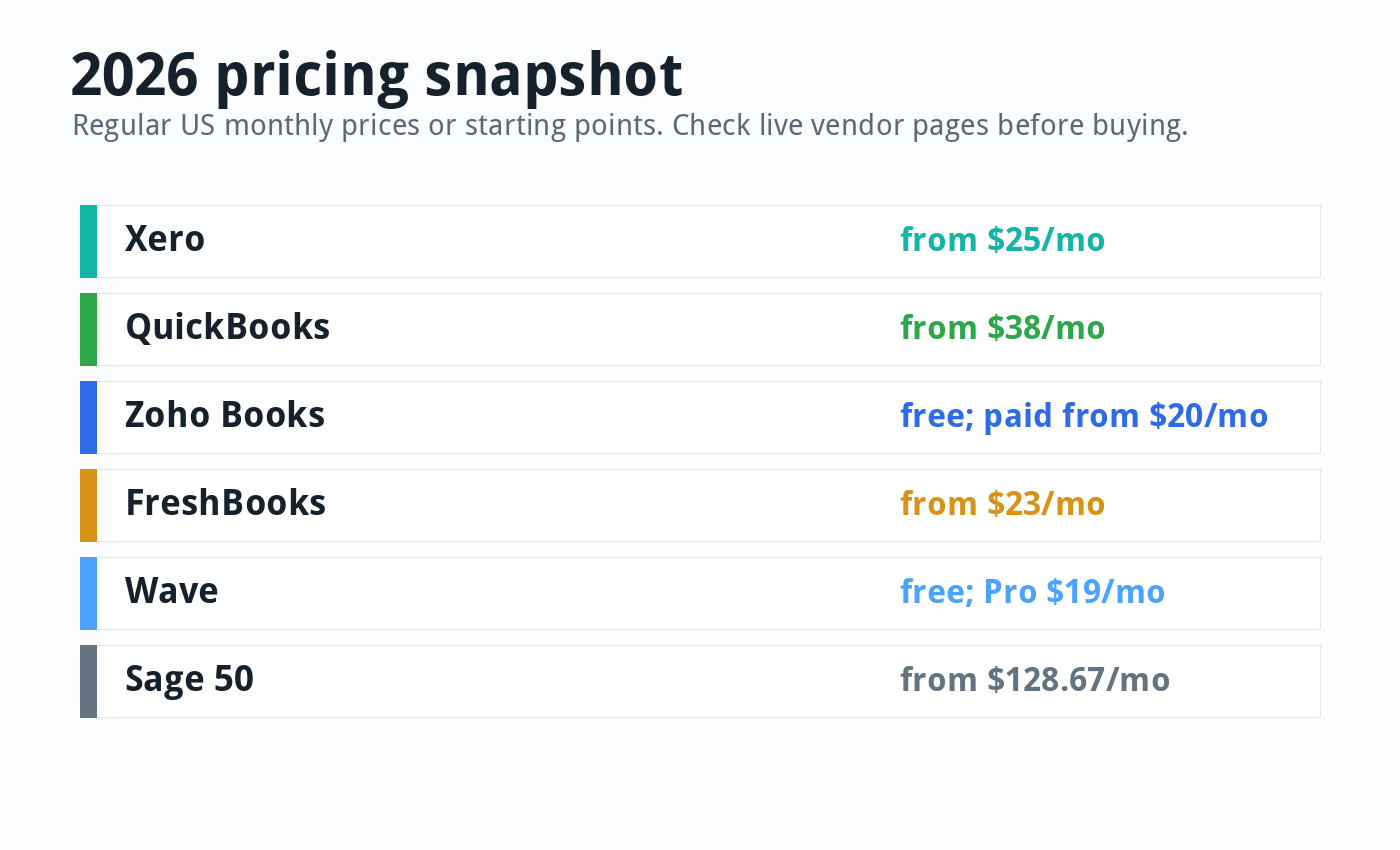
Pricing changes often, so treat all prices as a snapshot from June 4, 2026. Always check the vendor’s live pricing page before you buy.
Best Overall: Xero
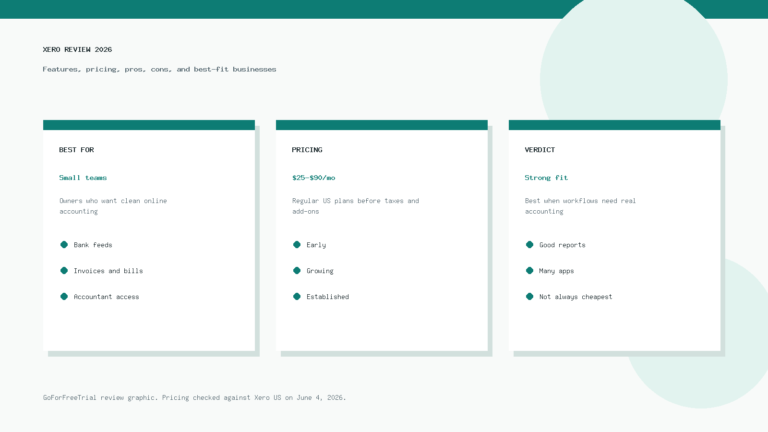
Xero is the best overall accounting software to try first in 2026 if you want a modern workflow, strong collaboration, and clean bank reconciliation. It is not perfect, but it hits the sweet spot for many small businesses.
Xero works well for service businesses, ecommerce sellers, consultants, agencies, startups, and growing teams. It is especially useful when the owner, bookkeeper, accountant, and team members all need access.
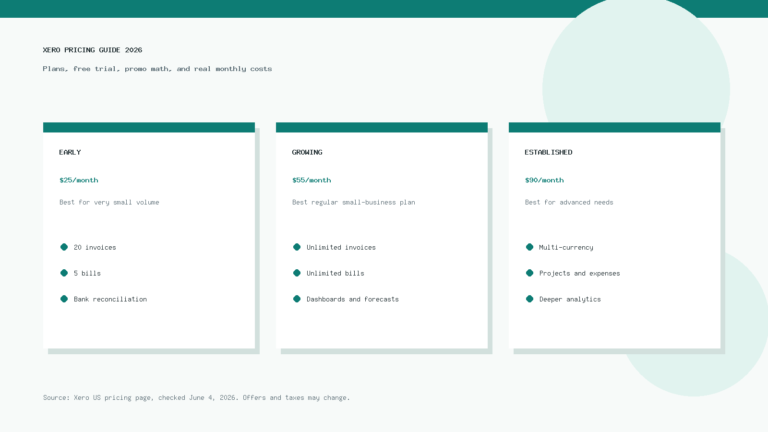
As of June 2026, Xero’s US pricing page lists regular monthly prices of $25 for Early, $55 for Growing, and $90 for Established before temporary promotions. Xero also promotes no per-user license fees, which can matter a lot as a team grows.
The Early plan can work for very small businesses, but it has invoice and bill limits. Most growing businesses should compare Growing and Established instead of judging Xero only by its entry plan.
Xero’s biggest strengths are bank feeds, reconciliation, reporting, collaboration, Hubdoc receipt capture, app integrations, and a cleaner interface than many older accounting tools. The daily workflow feels lighter than QuickBooks for many users.
The main downside is that some US businesses still find more local bookkeepers who prefer QuickBooks. Xero also relies on partners such as Gusto for payroll in the US, which can be a strength or a drawback depending on your setup.
Read our full Xero pricing guide if you want a deeper cost breakdown. You can also compare Xero directly against QuickBooks in our Xero vs QuickBooks 2026 guide.
Best Value: Zoho Books
Zoho Books is the best value pick for small businesses that want strong features at a reasonable price. It is also one of the few serious accounting platforms with a real free plan.
As of June 2026, Zoho Books lists a free plan and paid US plans starting at $20 per organization per month on monthly billing. The paid plans move through Standard, Professional, Premium, Elite, and Ultimate.
Zoho’s free plan is aimed at solopreneurs and micro businesses. It includes core features such as invoices, quotes, expenses, journals, bank reconciliation, payment reminders, reports, and one user plus one accountant.
That is generous, but the free plan is not for every business. Zoho says the free plan is available as long as annual revenue does not exceed its stated threshold, and limits still apply.
Zoho Books becomes more powerful as you move up. Higher plans add bank feeds, sales orders, purchase orders, multi-currency, inventory, project profitability, workflow customization, vendor portals, advanced inventory, and analytics.
The best part of Zoho is the wider ecosystem. If you already use Zoho CRM, Zoho Expense, Zoho Inventory, or Zoho Projects, Zoho Books can fit neatly into the same operating system.
The downside is that Zoho can feel more modular than Xero. You may need to understand plan limits carefully, especially around users, invoices, bills, inventory, advanced features, and add-ons.
For more practical detail, read our Zoho Books review. It covers the product from a small-business point of view instead of just listing features.
Best Accountant Ecosystem: QuickBooks Online
QuickBooks Online is still one of the safest choices if you want the widest US accountant and bookkeeper ecosystem. Many small-business advisors already know it well.
As of June 2026, QuickBooks Online’s US pricing page lists regular monthly prices of $38 for Simple Start, $75 for Essentials, $115 for Plus, and $275 for Advanced before temporary promotions.
QuickBooks handles invoicing, bill management, reports, payment acceptance, bank feeds, payroll options, sales tax, project profitability, classes, locations, and more depending on plan. It can grow with a business that needs more structured controls.
The main advantage is familiarity. If your accountant uses QuickBooks every day, setup, cleanup, month-end review, and tax preparation may move faster.
The downside is cost and complexity. QuickBooks can become expensive as you move up plans, and the interface may feel busier than Xero or FreshBooks for simple businesses.
QuickBooks is a strong choice for businesses that need payroll, accountant access, reporting depth, and a platform many US service providers recognize. It is less ideal when you want the simplest possible bookkeeping experience.
Best for Freelancers and Service Businesses: FreshBooks
FreshBooks is best for freelancers, consultants, agencies, contractors, and service businesses that care most about invoices, estimates, expenses, client management, and getting paid. It feels less like a traditional accounting system and more like a client-work finance tool.
As of June 2026, FreshBooks lists regular monthly prices of $23 for Lite, $43 for Plus, and $70 for Premium before temporary promotions. Select is quote-based.
FreshBooks Lite lets you send invoices to 5 clients. Plus raises that limit to 50 clients, while Premium supports unlimited clients and adds stronger features for larger service businesses.
FreshBooks shines when the business owner wants to send polished invoices quickly. It also supports estimates, proposals, online payments, expense tracking, receipt scanning, accountant access, and project profitability on higher plans.
The downside is that FreshBooks may not be the best fit for complex inventory, advanced accounting controls, or businesses that need deep accountant workflows. It is strongest when your business sells services, not complicated product lines.
Best Free Basics: Wave
Wave is the best accounting software to check if your budget is close to zero and your books are simple. It gives very small businesses a way to handle basic invoicing and bookkeeping without starting with a paid subscription.
Wave now separates Starter and Pro. As of June 2026, Wave lists its Pro plan at $19 per month on monthly billing or $190 per year on annual billing.
Starter can be enough if you only need basic invoicing and simple records. Pro adds features such as auto-imported bank transactions, auto-merge and categorization, unlimited receipt capture, late payment reminders, and better payment processing terms.
Wave is not the strongest tool for growing teams, deep reporting, payroll-heavy businesses, or complex ecommerce accounting. It is best when the business is simple and cost matters more than advanced features.
If you are mainly comparing free options, read our guide to the best free bookkeeping software for small business. It explains where free tools help and where they become limiting.
Best for Deeper Accounting: Sage 50
Sage 50 is not the lightest accounting tool, but it can suit businesses that need deeper accounting, inventory, job costing, audit trails, purchase orders, and more traditional finance controls.
As of June 2026, Sage’s US pricing page lists Sage 50 Pro Accounting from $128.67 per month and Premium Accounting from $182.50 per month for one user. Pricing rises with users and payroll options.
Sage is not my first recommendation for a small business that wants the easiest cloud accounting workflow. It is better for businesses that already know they need heavier accounting structure.
That may include businesses with inventory, job costing, multi-company needs, audit trails, or more formal accounting requirements. For those buyers, the extra complexity may be worth it.
Pricing Comparison Table
| Software | Starting Price Snapshot | Free Trial or Free Plan | Best Fit |
|---|---|---|---|
| Xero | From $25/mo | Trial/offer varies | Growing small businesses and collaboration |
| Zoho Books | Free; paid from $20/mo | Free plan and 14-day trial | Value-focused small businesses |
| QuickBooks Online | From $38/mo | Trial/offer varies | US accountant ecosystem |
| FreshBooks | From $23/mo | Trial available | Freelancers and service businesses |
| Wave | Starter/free basics; Pro $19/mo | Free Starter plan | Very small businesses with simple books |
| Sage 50 | From $128.67/mo | Trial available | Deeper accounting and inventory controls |
Do not choose only by the starting price. The lowest plan often leaves out something important, such as extra users, bank feeds, receipt capture, inventory, payroll, or advanced reporting.
The real monthly cost includes subscription fees, payroll, payment processing, app connectors, accountant help, migration work, and the time your team spends fixing mistakes. A $20 plan can cost more than a $55 plan if it creates extra cleanup every month.
Best Accounting Software by Business Type
Freelancers: FreshBooks and Wave are the easiest places to start. Xero is better if you expect to grow into a more complete accounting system.
Consultants and agencies: Xero, FreshBooks, and QuickBooks are all worth testing. Choose based on invoicing workflow, project tracking, and accountant preference.
Ecommerce businesses: Xero, QuickBooks, and Zoho Books deserve the closest look. Your ecommerce connector, payment processor, inventory system, and sales tax workflow matter as much as the accounting software itself.
Product-based businesses: QuickBooks Plus, Zoho Books Professional or higher, Xero with inventory add-ons, and Sage can all work. Test purchase orders, stock tracking, sales channels, and month-end reconciliation before deciding.
Payroll-heavy businesses: QuickBooks may be easier if you want payroll close to accounting. Xero with Gusto can also work well if you prefer a dedicated payroll partner.
Growing teams: Xero is attractive because of its collaboration model. QuickBooks Advanced and Zoho’s higher plans may fit if you need stronger permissions and reporting controls.
For online sellers, our best accounting software for ecommerce businesses guide goes deeper into sales channels, inventory, tax, and connector issues.
What to Test During a Free Trial
A free trial is only useful if you test real work. Clicking around dashboards is not enough.
Create a sample customer, send a real or draft invoice, add a payment method, upload a receipt, import a bank transaction, enter a bill, run a profit and loss report, and invite your accountant or bookkeeper.
Then ask one simple question: would I trust myself or my team to repeat this every week? If the answer is no, the software may not fit, even if the feature list looks strong.
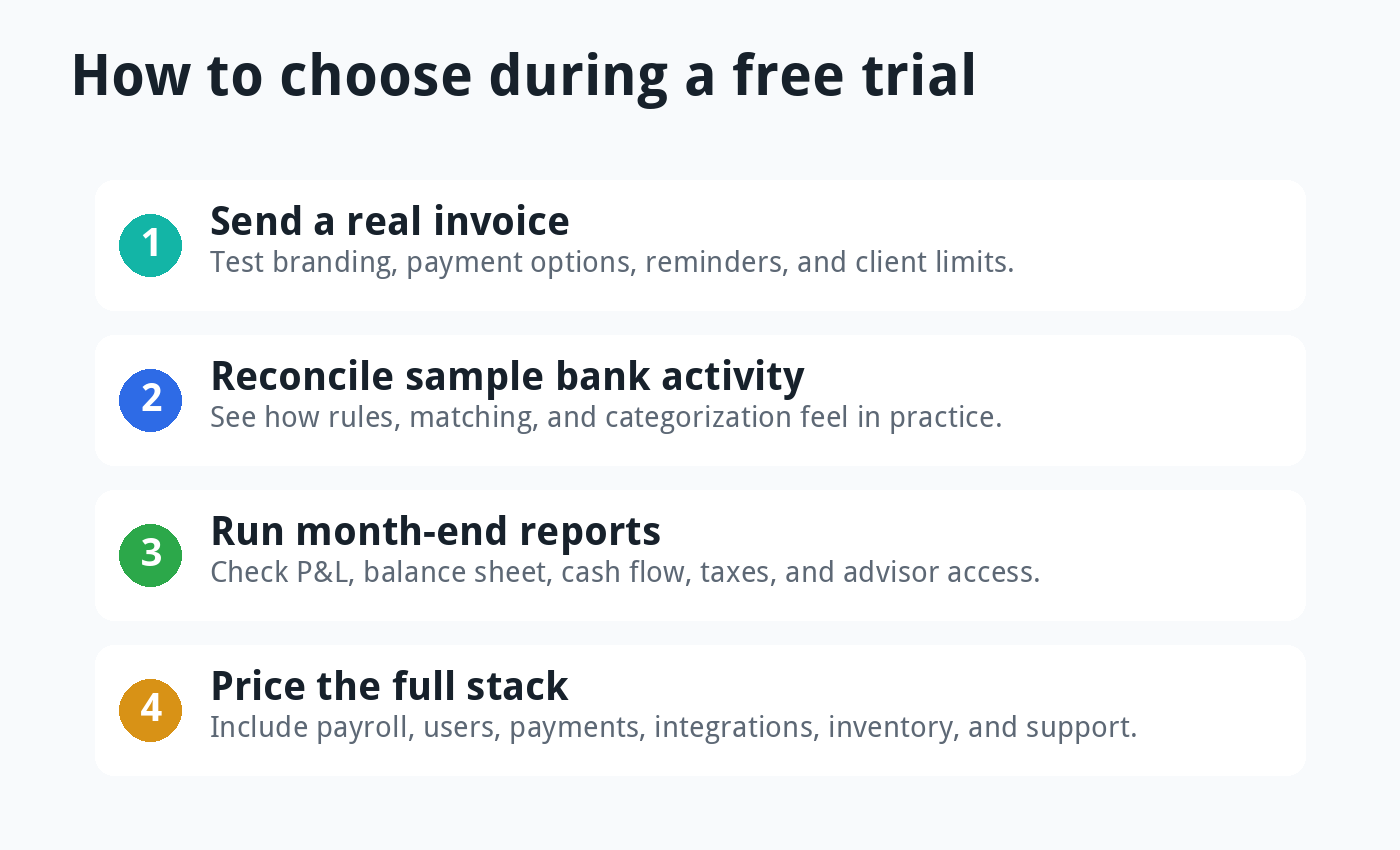
Also test cancellation, export options, and support. A good accounting platform should make it easy to get your data out if you later switch.
Features That Matter Most
Invoicing: Look for recurring invoices, payment reminders, online payment options, client limits, invoice branding, and estimates or proposals if you sell services.
Bank reconciliation: This is the heart of day-to-day bookkeeping. Test bank rules, matching, duplicate handling, and how quickly you can review transactions.
Reports: Every tool should give you profit and loss, balance sheet, sales, expenses, and tax reports. Growing businesses may also need cash flow forecasts, budgets, project profitability, and class or location tracking.
Payroll: Payroll can change the whole decision. Compare native payroll, partner payroll, contractor payments, state support, benefits, and year-end forms.
Inventory: Product sellers need more than a simple item list. Check purchase orders, stock adjustments, multi-location inventory, landed cost needs, ecommerce sync, and refund handling.
Integrations: List your required apps before signing up. Payment processors, ecommerce platforms, payroll tools, CRM software, POS systems, and reporting tools can make or break the setup.
Accountant access: Ask your accountant which platforms they support. Their speed and comfort can matter more than a small difference in software price.
Common Pricing Traps
The first trap is confusing promotional price with regular price. Many accounting tools advertise large discounts for a few months, then renew at the regular monthly rate.
The second trap is choosing the cheapest plan and discovering limits later. Client limits, invoice limits, bill limits, users, bank feeds, and reports can all push you into a higher tier.
The third trap is ignoring payment fees. If customers pay by card or ACH, payment processing costs may matter more than the software subscription.
The fourth trap is underestimating payroll. Payroll add-ons can cost more than the base accounting plan, especially when you add employees, contractors, tax filings, and state requirements.
The fifth trap is forgetting migration. Moving messy books into new software can take hours of cleanup, and that labor has a real cost.
Accounting Software Reviews: Pros and Cons
Xero Pros and Cons
Xero’s biggest pros are its clean interface, strong reconciliation, collaborative access, and flexible app ecosystem. It feels practical for owners who want useful accounting without a lot of visual noise.
The main cons are plan limits on Early, reliance on partner tools for some workflows, and a smaller US accountant footprint than QuickBooks in some local markets. It is still easy to recommend, but your advisor should be comfortable with it.
Zoho Books Pros and Cons
Zoho Books gives you a lot for the money. The free plan, low starting price, automations, mobile apps, and Zoho ecosystem make it one of the strongest value picks.
The tradeoff is plan complexity. Some features sit behind higher tiers or add-ons, so you need to compare your real workflow against the pricing table before choosing.
QuickBooks Pros and Cons
QuickBooks wins on accountant familiarity, US adoption, payroll ecosystem, and advanced plan depth. It is often the default choice when a bookkeeper or tax pro already has a clear QuickBooks process.
The cons are price, user limits, and a busier interface. It can be more software than a very small business needs, especially if the owner only wants invoices, expenses, and basic reports.
FreshBooks Pros and Cons
FreshBooks is friendly, fast, and strong for service-based billing. It makes invoices, estimates, client communication, payments, and expense tracking feel simple.
Its biggest weakness is that it is not the best fit for deeper accounting, complex inventory, or businesses that need heavy financial controls. It is best when your business model is simple and client-service focused.
Wave Pros and Cons
Wave’s main advantage is cost. For a very small business, a free Starter plan can be enough to create invoices, track simple records, and learn basic bookkeeping habits.
The downside is that free software has limits. As soon as you need bank automation, stronger receipt capture, more support, payroll, or growth features, you may need a paid plan or a more complete accounting tool.
Sage Pros and Cons
Sage is strong when a business needs accounting depth, inventory structure, job costing, audit trails, and formal controls. It is not trying to be the simplest tool on the market.
The downside is cost and complexity. A small business that only needs basic cloud accounting will usually feel more comfortable with Xero, Zoho Books, QuickBooks, FreshBooks, or Wave.
When to Upgrade From a Free Plan
A free plan is useful when the business is young, simple, and cash-conscious. It helps you learn bookkeeping habits before you commit to a paid tool.
You should upgrade when bookkeeping starts taking too long, bank imports become important, invoices or bills hit plan limits, reports feel too shallow, or your accountant needs better access. You should also upgrade when the cost of mistakes becomes higher than the subscription fee.
Many owners wait too long. They save a few dollars on software, then pay much more for cleanup when tax season arrives.
Migration Tips Before You Switch
Before switching accounting software, export your profit and loss, balance sheet, general ledger, accounts receivable, accounts payable, customer list, vendor list, chart of accounts, and trial balance. Keep copies outside the old software.
Pick a clean migration date, often the start of a month, quarter, or fiscal year. That makes opening balances easier to verify.
Do not migrate messy data just because the import tool allows it. Clean old customers, unused accounts, duplicate vendors, unpaid invoices, and uncategorized transactions before the move.
After migration, reconcile the first month carefully. If the opening balance is wrong, every report after it will be harder to trust.
Final Verdict
For most growing small businesses in 2026, I would test Xero first. It offers a strong balance of usability, collaboration, reconciliation, reports, and integrations.
If price matters most, test Zoho Books next. It gives small businesses a lot of capability for the money, especially if they already use Zoho apps.
If your accountant is strongly QuickBooks-first, test QuickBooks Online before making a final decision. Advisor familiarity can save real time at tax season.
If you invoice clients for services, FreshBooks deserves a trial. If you need free basics, try Wave. If you need more formal accounting controls, evaluate Sage.
The best accounting software is the one your business will actually keep clean. A beautiful dashboard does not matter if the books are wrong, late, or too hard to maintain.
FAQ
What is the best accounting software for small business in 2026?
Xero is the best overall first trial for many growing small businesses. Zoho Books is best for value, QuickBooks is best for accountant familiarity, FreshBooks is best for service businesses, Wave is best for free basics, and Sage is best for deeper accounting controls.
Which accounting software has a free plan?
Zoho Books has a free plan for eligible micro businesses, and Wave has a free Starter plan for basic invoicing and bookkeeping. Free plans can be useful, but check limits before you rely on them.
Is Xero better than QuickBooks?
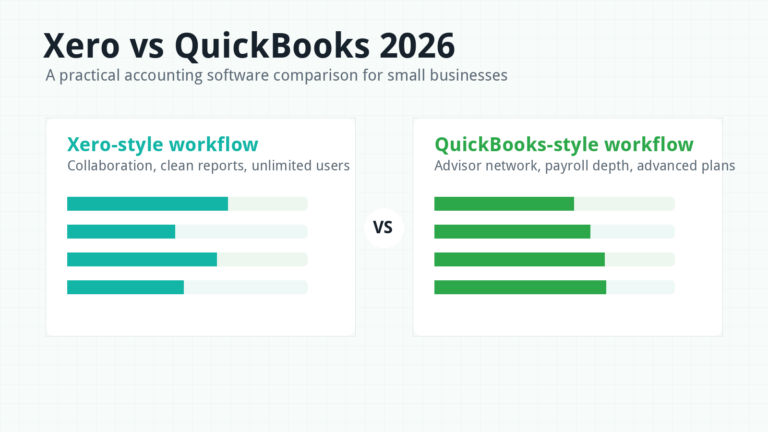
Xero is often better for collaboration, clean workflow, and bank reconciliation. QuickBooks is often better when US accountant familiarity and native ecosystem depth matter more.
Should I choose the cheapest accounting software?
Not always. The cheapest plan can become expensive if it lacks bank feeds, reports, users, payroll, inventory, or integrations you need every month.